Candera launches the FREE CGI Studio Community Edition for makers, students, and small businesses

Candera launches the FREE CGI Studio Community Edition for makers, students, and small businesses
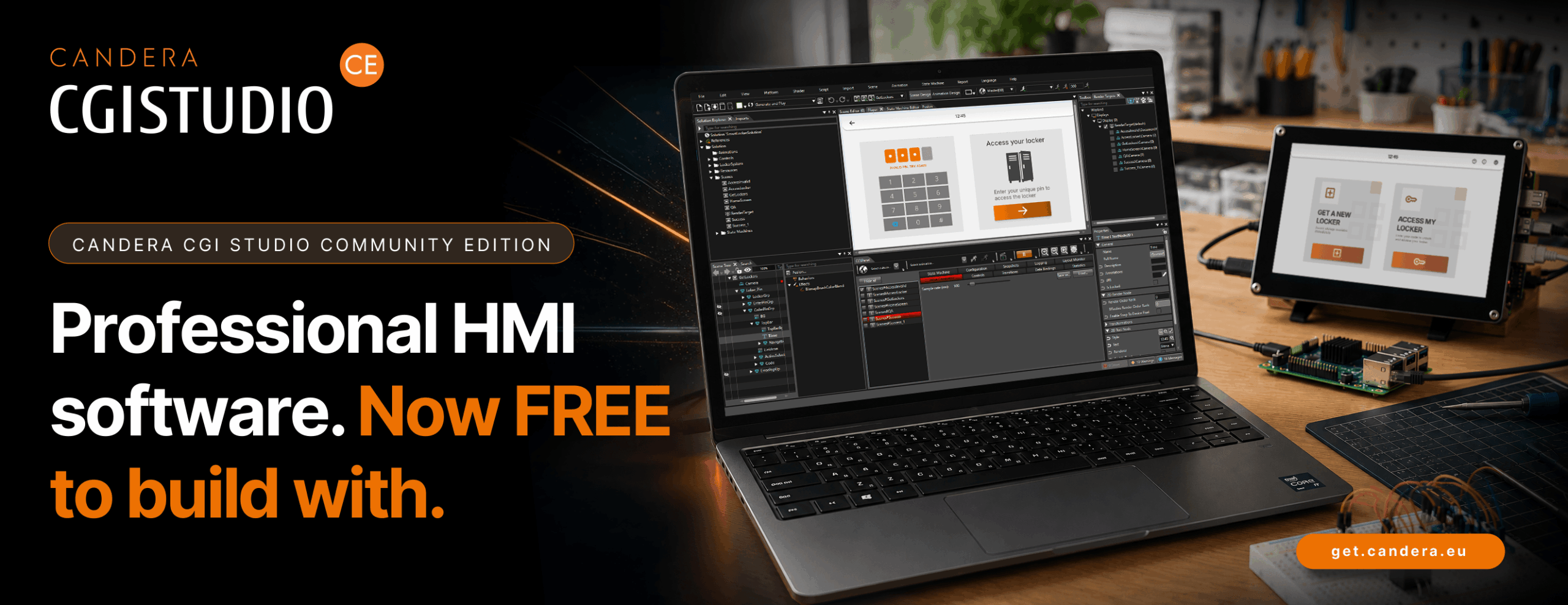
Candera CGI Studio Community Edition

LINZ, July 1, 2026 – Candera GmbH is expanding its HMI software portfolio with the Candera CGI Studio Community Edition (short CE). Available free of charge for non-commercial use, the edition offers an accessible entry point into the development of modern graphical user interfaces for embedded systems.

Candera CGI Studio CE is aimed at makers, students, developers, and small businesses that want to turn their own interface ideas into reality, learn the fundamentals of HMI development, or create initial prototypes for new products. Users can design interfaces visually, build interactions, and bring their concepts to life on real displays and embedded hardware.

At launch, Candera CGI Studio CE supports the Raspberry Pi 4 and Raspberry Pi 5 platforms. Further embedded platforms and support for Android devices will follow.

Whether it is a smart home controller, the user interface for a DIY device, a university project, an interactive display prototype, or the first concept for a new product. Candera CGI Studio CE helps turn an idea into a visible and interactive result more quickly.

“With the Community Edition, we are making it much easier to get started with HMI development,” says Roland Winkler, Senior Product Development Manager at Candera. “It gives users the opportunity to learn, experiment, and turn product and interface ideas into reality in a professional development environment.”


Easy to start. Built on professional technology.

Candera CGI Studio CE combines an accessible workflow with the core strengths of CGI Studio Enterprise Edition. Users can create graphical user interfaces, connect logic and data, and experience their projects directly as interactive applications on embedded hardware.

Key benefits include:

  • intuitive, visual development of user interfaces
  • flexible design options for different ideas, applications, and displays
  • an efficient workflow from the first concept to a running prototype
  • a powerful runtime for embedded HMI projects
  • a solid foundation for the next step towards professional product development

From idea to interactive prototype

Fast, visible progress matters especially in learning, maker, and early product projects. Candera CGI Studio CE helps users test initial GUI and HMI concepts early, explore interactions in practice, and make their own ideas visible on hardware.

Small businesses can also use the Community Edition to evaluate initial operating concepts, visualize product ideas, and develop internal prototypes for new devices or applications. This makes it easier to assess design, user interaction, and technical feasibility at an early stage.

The edition is designed for everyone who wants to do more than understand Human-Machine Interface development in theory. It helps users build practical know-how and creates room for experimentation, prototypes, and first applications of their own.

Community platform for templates, projects, and support

With community.candera.eu, Candera provides a central platform for users of the Candera CGI Studio Community Edition. It offers templates, sample projects, practical resources, and support for first HMI projects.

The platform helps users get started faster, develop their ideas further, and share experiences within the community.

An entry point to the Candera CGI Studio ecosystem

The Community Edition is part of the Candera CGI Studio ecosystem. It helps HMI beginners, makers, students, and small businesses build know-how, validate initial concepts, and get to know CGI Studio for future projects.

For professional series development, individual requirements and comprehensive project support, Candera offers commercial solutions and services. These include the Candera CGI Studio Professional Edition as well as tailored Enterprise offerings with consulting, development and support services.

Availability

Candera CGI Studio CE will be available free of charge for Raspberry Pi 4 and Raspberry Pi 5 from July 1, 2026. Additional platforms and Android device support will be added step by step.

More information and free download:

About Candera:

Candera is a pioneer in the field of HMI design software, offering innovative solutions for the automotive industry, wearables, medical, and household appliances. With a focus on user-centric design and cutting-edge technology, Candera continues to set the standard for HMI software development. For more information, please visit www.candera.eu

Candera and Magic Lane Partner to Bring Advanced Navigation into Candera CGI Studio-Based HMIs

Candera and Magic Lane Partner to Bring Advanced Navigation into Candera CGI Studio-Based HMIs

Reference implementations support 2-wheelers, e-bikes and automotive IVI use cases across different hardware classes

Candera-Magic-Lane PR


LINZ, Austria / AMSTERDAM, Netherlands, June 12, 2026 –  Candera GmbH and Magic Lane today announce a strategic partnership to simplify the integration of advanced navigation into Human-Machine Interfaces built with Candera CGI Studio. The collaboration combines Candera’s HMI development expertise with Magic Lane’s navigation and location technology to help OEMs, Tier 1 suppliers and device manufacturers create navigation-enabled user experiences faster and with greater flexibility.


The collaboration focuses on practical reference implementations based on Magic Lane’s C++ and Android SDKs. These references are designed to show how navigation can be integrated across different mobility segments, hardware classes and system architectures, from resource-conscious MCU environments to more powerful MPU platforms and in-vehicle infotainment (IVI) systems.


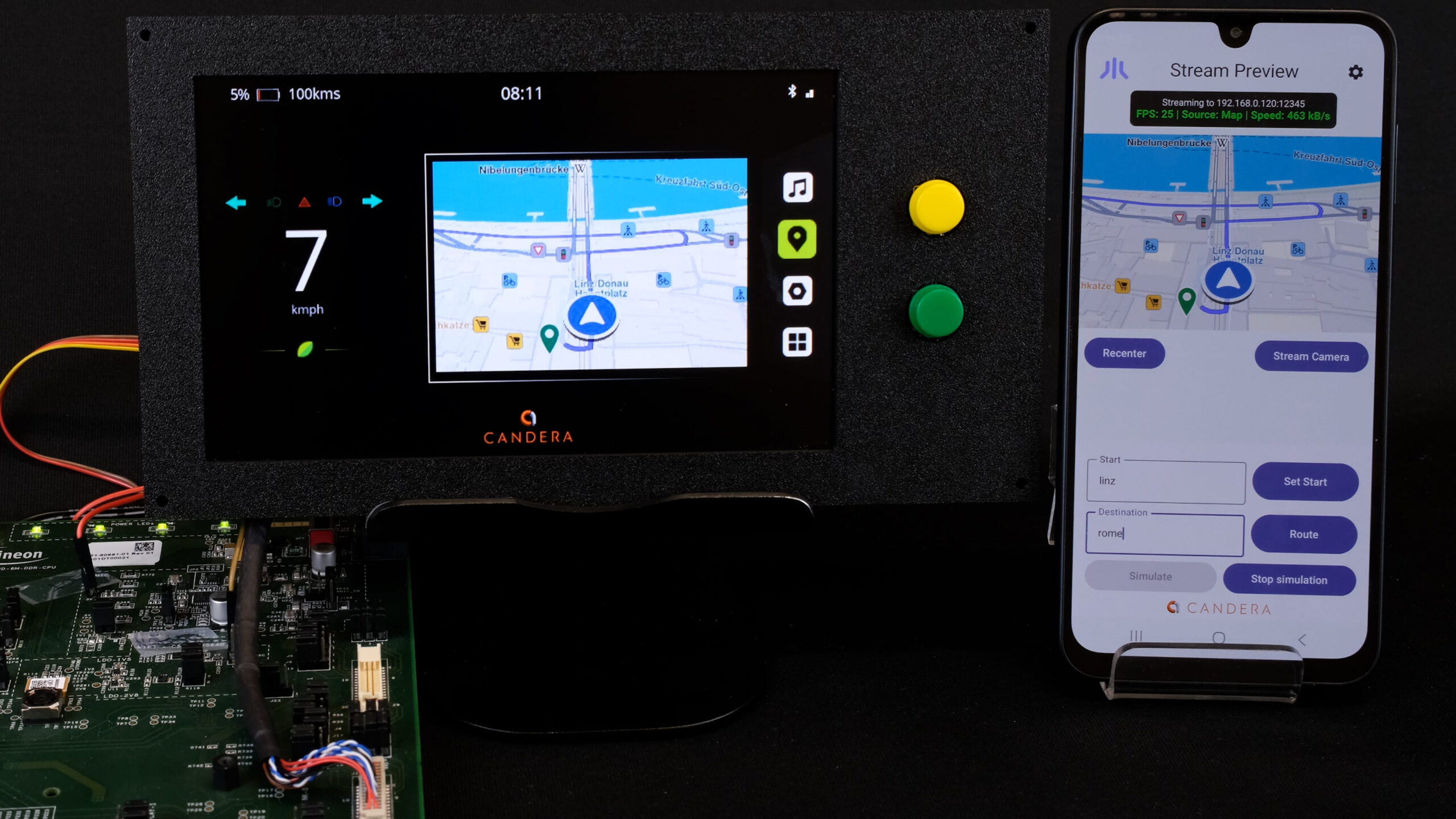
Initial target use cases include motorbikes and other 2-wheelers, bikes and e-bikes, and automotive passenger cars. For 2-wheelers, Candera and Magic Lane will demonstrate MJPEG content streaming to low-power MCU hardware, addressing the requirements of cost-effective digital instrument clusters. For bike and e-bike applications, the companies will showcase navigation on handlebar-integrated clusters running on more capable MPU hardware, where target selection and routing are executed directly on the device.

For low-cost MCU-based bike computers, routing and navigation execution can be handled on the smartphone, while the MCU cluster displays the map and turn-by-turn guidance. In the automotive segment, Magic Lane’s navigation solution will be integrated into Candera’s ready-made in-vehicle infotainment solution, giving development teams a faster starting point for navigation-enabled IVI concepts.


This partnership with Magic Lane is an important step in expanding the CGI Studio ecosystem with high-quality navigation capabilities that fit real product requirements across global mobility markets,” said Reinhard Füricht, Managing Director of Candera. “By combining Magic Lane’s flexible navigation technology with Candera’s proven HMI development platform, we can help customers reduce integration effort and move faster from concept to compelling in-vehicle user experiences.”


“At Magic Lane, we are focused on making advanced navigation technology easy to integrate and adaptable to the needs of modern mobility products,” said Raymond Alves, CEO of Magic Lane. “Partnering with Candera allows us to bring our navigation platform into beautifully designed HMIs and showcase how developers and OEMs can deploy rich navigation experiences across two-wheel, micro-mobility, and automotive environments.”


The partnership gives OEMs, Tier 1 suppliers and device manufacturers a clear path to evaluate and implement navigation-enabled HMIs using Candera CGI Studio and Magic Lane technology. By covering different execution models, including on-device navigation, streamed navigation content and distributed smartphone-to-cluster architectures, the reference implementations address real integration scenarios instead of a single fixed setup.


Want to learn more about navigation-enabled HMI concepts?

Contact Candera to discuss your next HMI project or request a demo of Candera CGI Studio.


About Candera:

Candera is a pioneer in HMI design software, delivering innovative solutions for automotive and embedded applications. With CGI Studio, Candera enables the rapid creation of high-performance, production-ready HMIs across platforms and hardware classes. For more information, please visit www.candera.eu


About Magic Lane:

Magic Lane provides navigation and location technology designed for modern mobility solutions, with flexible SDKs and integration options for a wide range of devices and applications. For more information, please visit  www.magiclane.com


Candera Confidential & Copyright 2026

Learn more about Candera CGI Studio:

Website        LinkedIn       Facebook          YouTube

Candera CGI Studio 3.16 Expands What Development Teams Can Achieve Across the Entire HMI Workflow

Candera CGI Studio 3.16 Expands What Development Teams Can Achieve Across the Entire HMI Workflow

LINZ, May 12, 2026 – Candera GmbH is proud to announce the release of Candera CGI Studio 3.16, the latest version of our HMI development software. Designed to support faster, smarter, and more flexible HMI development, this release expands Candera CGI Studio across the full workflow from design and validation to deployment. This release enables development teams to realize modern user interface concepts more efficiently while scaling across industries, hardware environments, and use cases.

“With Candera CGI Studio 3.16, HMI development gets smarter and faster, combining AI-assisted tools, flexible workflows, and broad platform support,”  says Roland Winkler, Senior Product Development Manager at Candera.

Quick overview of the improvements in Candera CGI Studio 3.16:

Scene Composer UI/UX

Solution Templates & 3D

Engine & Platform Features

• View Editor
• Embedded Player
• Multi View in Scene Editor
• XLIFF Import
• AI Docs Agent

• In-Vehicle Infotainment (IVI)
   Solution Template
• Instrument Cluster Solution
  Template
• Advanced 3D glTF Effects

• iOS & Vulkan Support
• Software Rendering
• Traveo II MJPEG Streaming
• Font Engine Upgrades and Optimizations

Scene Composer Improvements

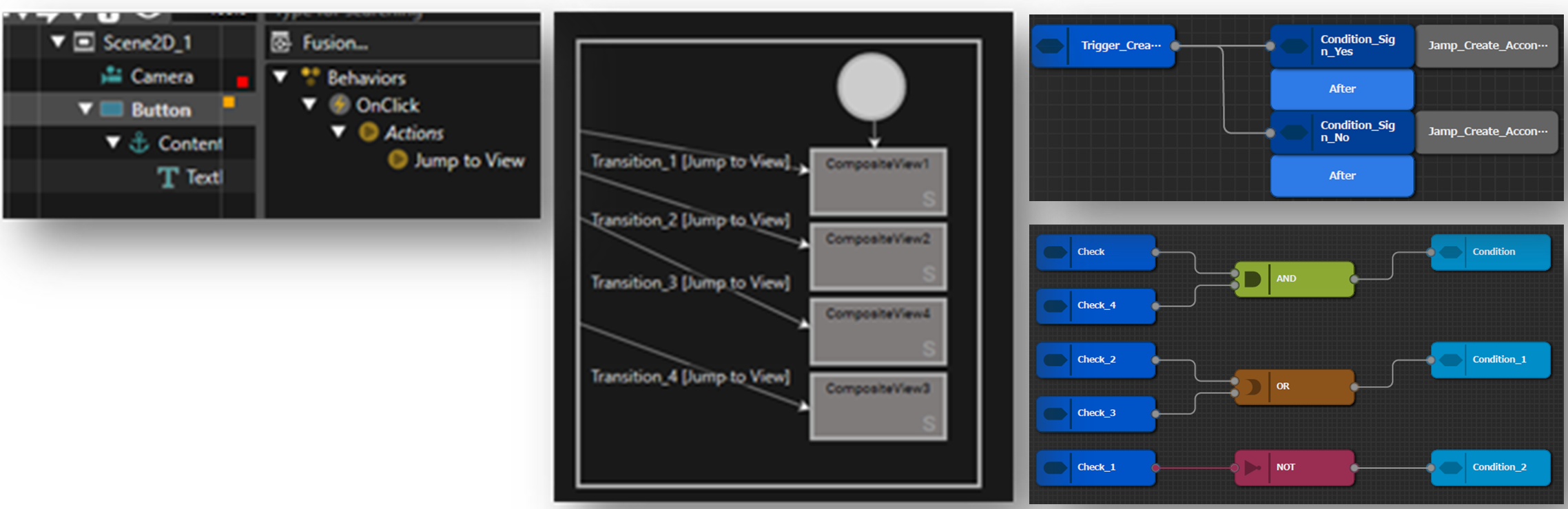
Candera CGI Studio 3.16 brings substantial improvements to the Scene Composer experience. The new View Editor makes it easier to configure automotive HMI workflows by allowing developers to preview Views, which are combinations of scenes, and manage transitions in a dedicated framework.


Scene-Composer-Improvements
Embedded Player

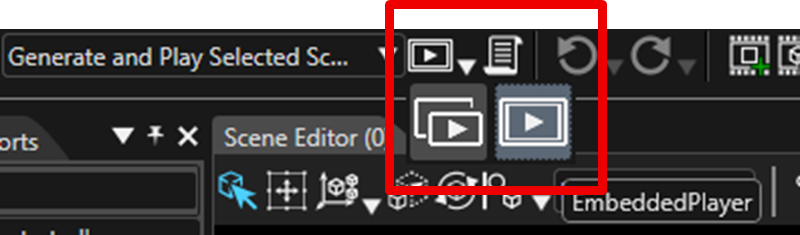
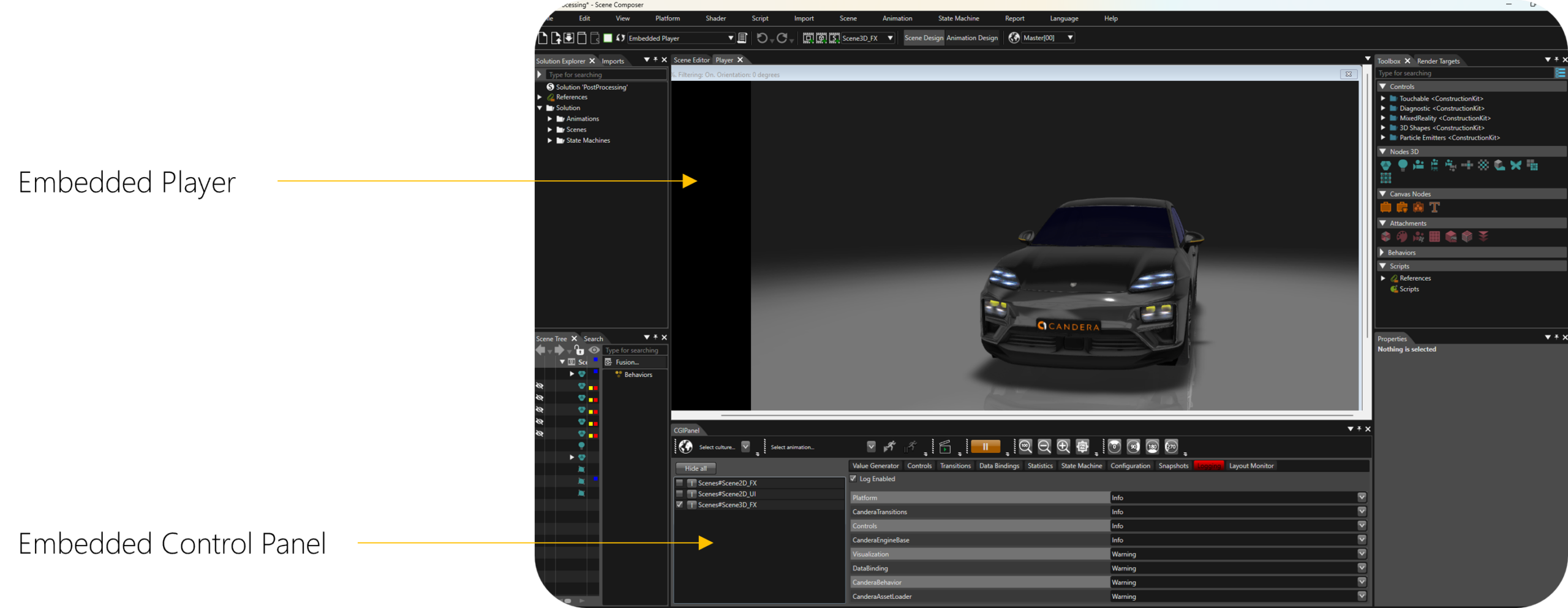
The new Embedded Player enables a seamless switch between design and runtime simulation directly inside Scene Composer, while the standalone Player remains available as an additional option.The Embedded CGI Panel is shown below the Embedded Player.

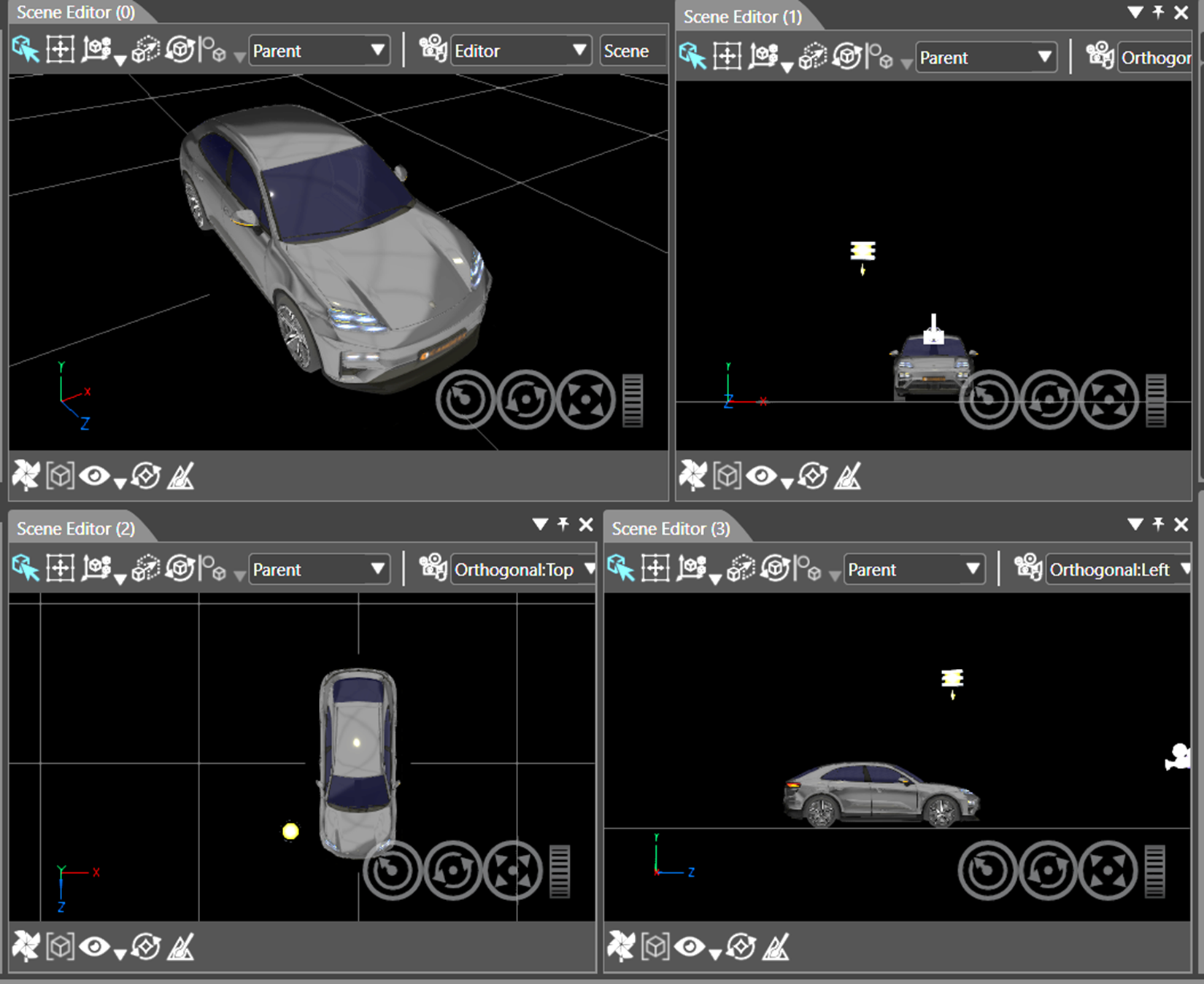
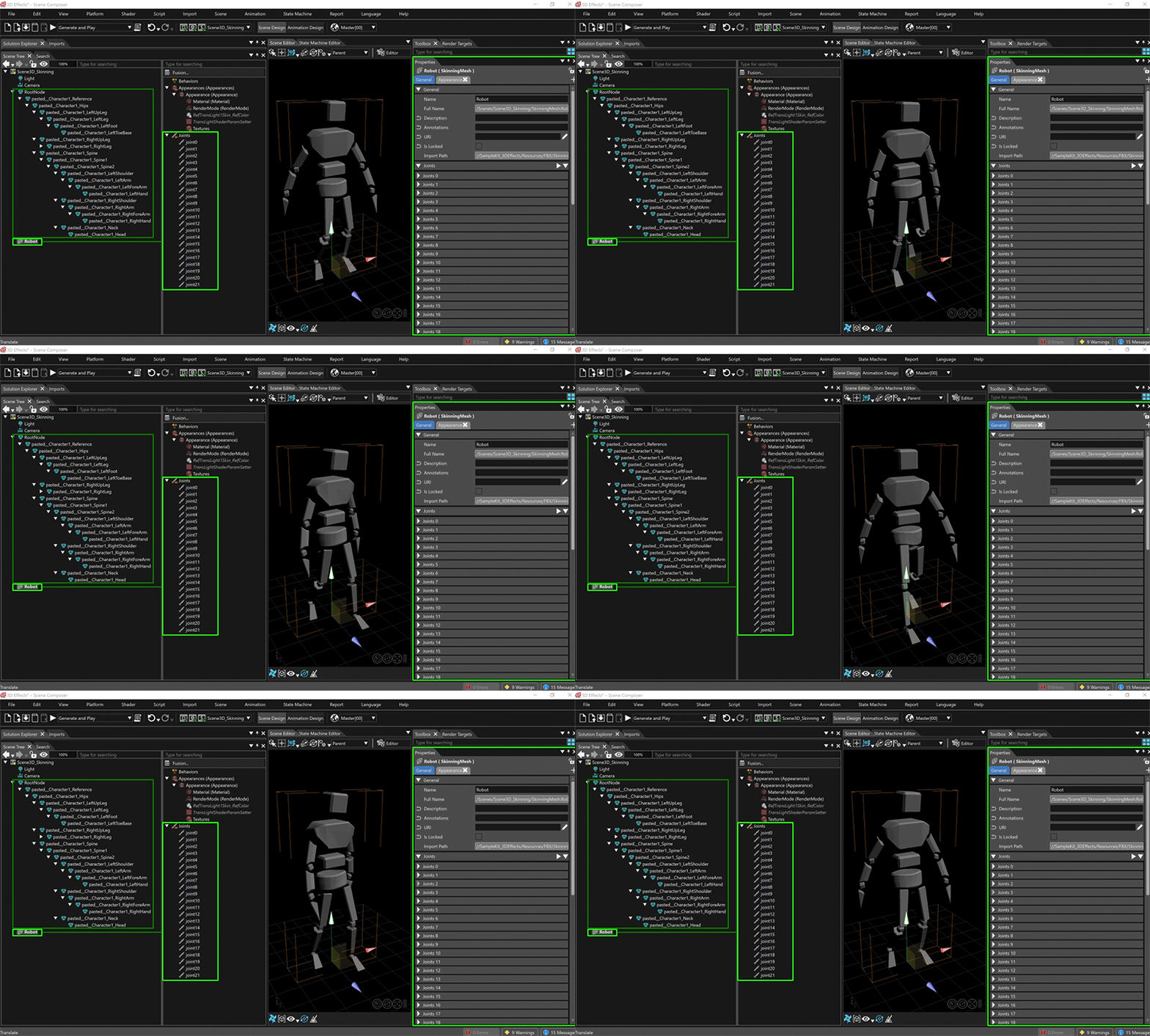
The Multi View in Scene Editor extends scene inspection with up to four synchronized editor windows and freely selectable camera angles, helping teams work more efficiently on complex 3D user interfaces. Users can switch instantly between single-view and the new multi-view.

Multi-View

Localization and documentation workflows are also significantly improved. Built-in XLIFF 2.0 support allows developers to import, merge, edit, and export localized text in the industry-standard XML-based format. This makes CGI Studio easier to integrate into professional localization toolchains.

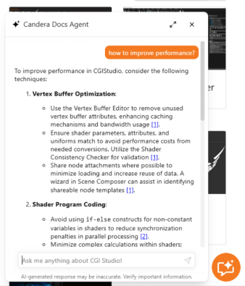
At the same time, the new AI Docs Agent provides direct assistance during development by delivering tailored answers in any language, helping users find information faster and reducing friction in daily work.


To make navigation even more efficient, the bot’s answers are directly linked to the relevant Candera CGI Studio documentation, allowing users to jump straight to the source of information.

Solution Templates and Advanced 3D

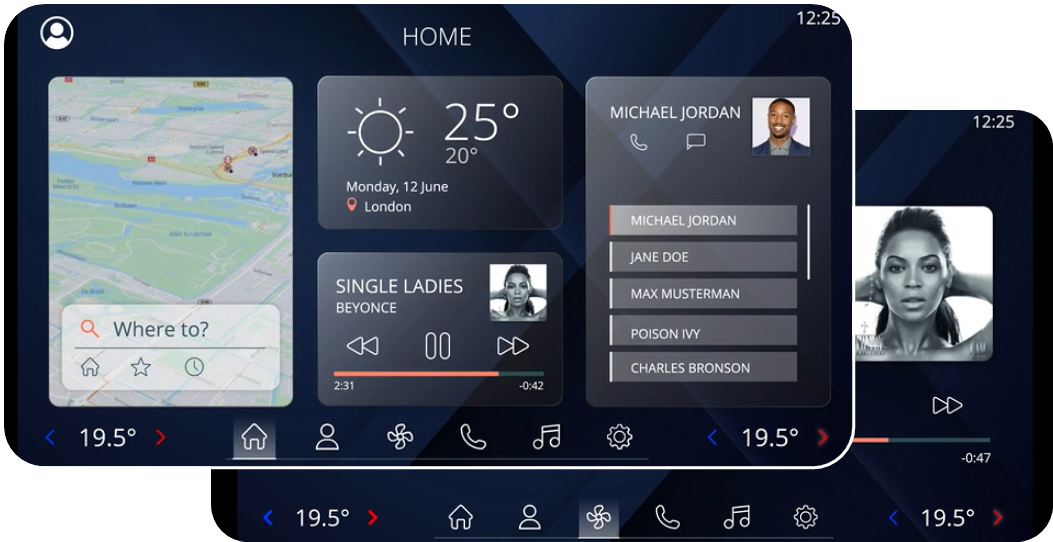
Another major highlight of Candera CGI Studio 3.16 is the expansion of ready-to-use solution templates for automotive HMI development. The new In-Vehicle Infotainment (IVI) Solution Template includes building blocks for navigation, weather, media, phone, HVAC, and digital twin scenarios. It supports both 2D and 3D use cases and includes advanced visualizations and custom application screens.

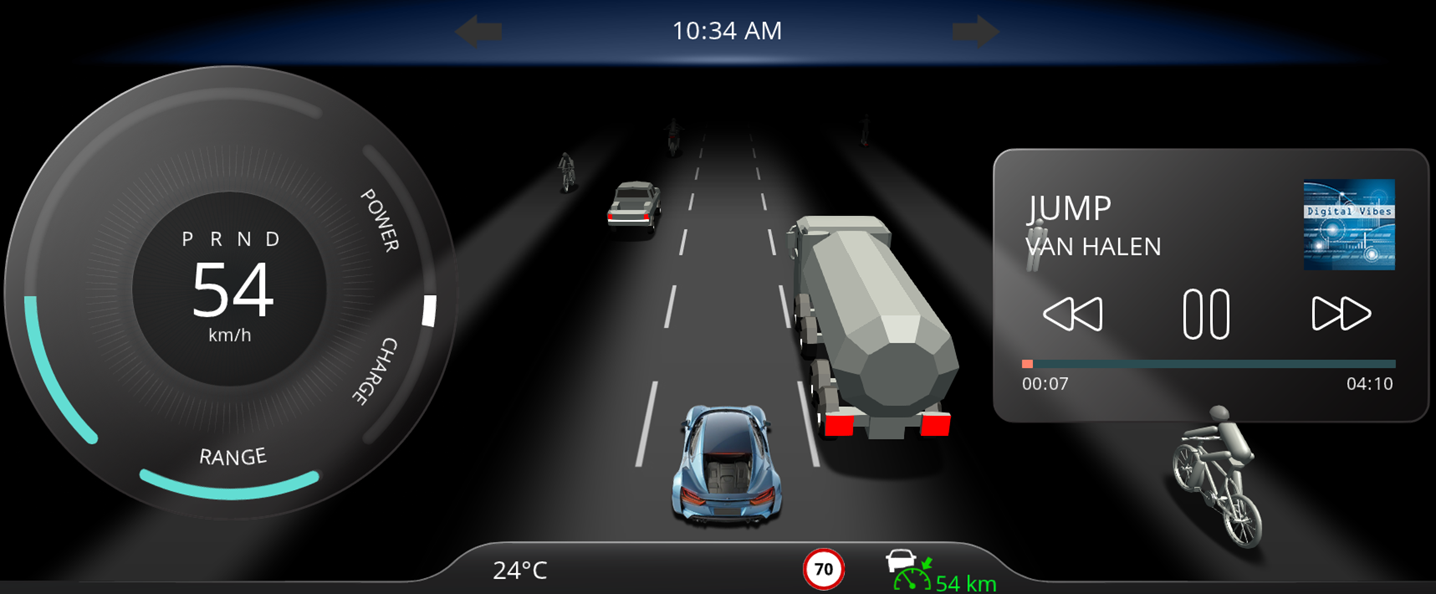
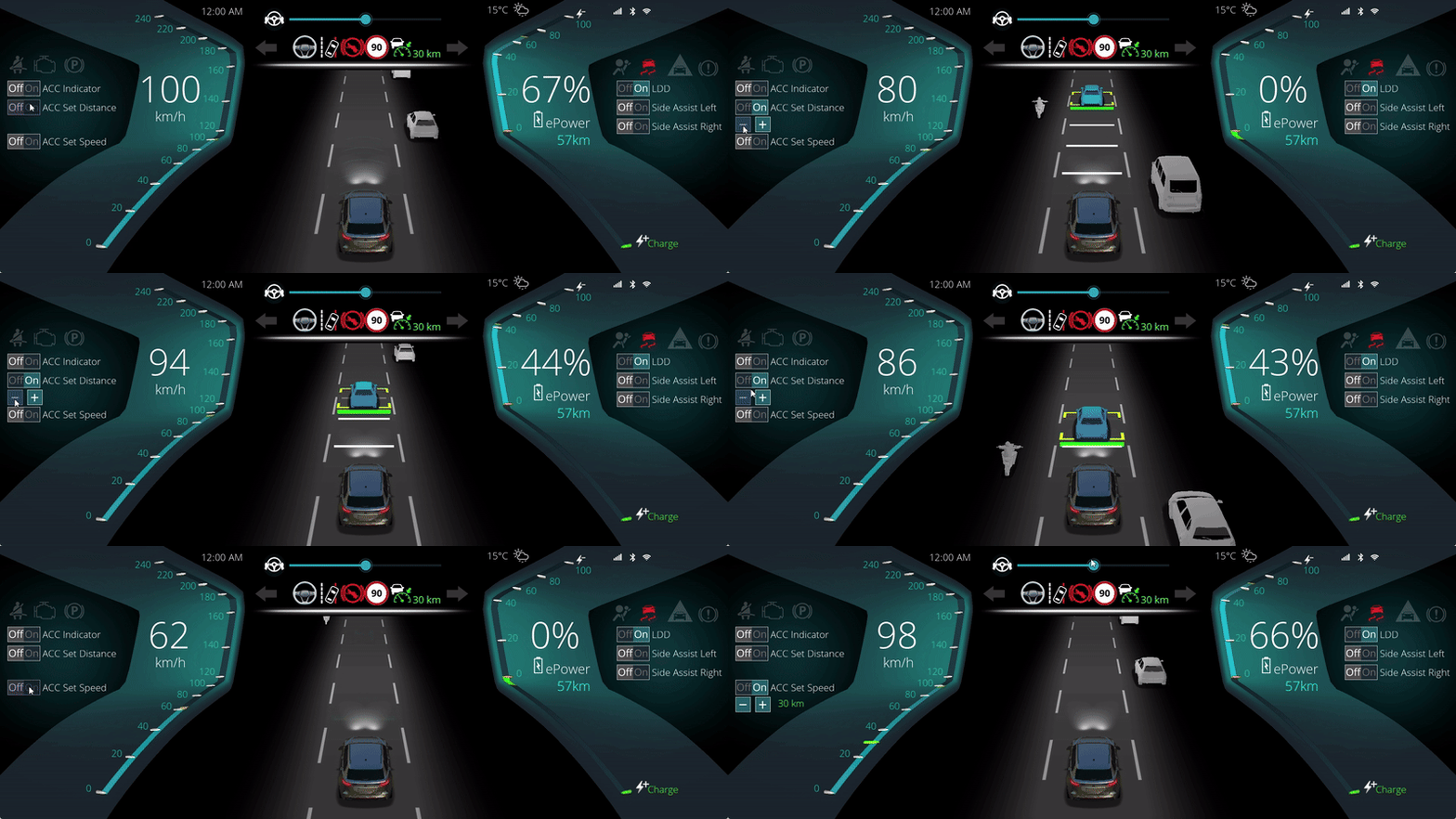
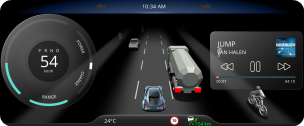
The new Instrument Cluster Solution Template integrates ADAS functions such as ACC, LDD, and side assist alongside essential dashboard elements like speed gauge, media, telltales, time, odometer, temperature, and turn-by-turn guidance. These templates help teams accelerate prototyping and shorten time to value.


Candera CGI Studio 3.16 also strengthens its advanced 3D capabilities with full glTF 2.0 support and modern rendering extensions such as clear coat. Additional enhancements include HDR rendering with tone mapping and fully automated import of image-based lighting cube maps for global illumination. This allows developers to create richer, more realistic visual experiences for next-generation HMIs in automotive, industrial, and other embedded environments.

Engine and Platform Improvements

On the platform side, Candera CGI Studio 3.16 broadens deployment flexibility considerably. Native rendering support for Apple iOS allows developers to create Candera CGI Studio apps for Apple devices using Xcode and Metal.

Vulkan support adds a future-oriented graphics backend for modern 3D GPUs, improving CPU and GPU efficiency on Linux and Android platforms. These additions strengthen Candera CGI Studio’s position as a flexible solution for cross-platform HMI development.

A further milestone is the introduction of Software Rendering. Candera CGI Studio 3.16 can now run on platforms without a GPU, enabling platform-independent rendering on a broad range of targets, including ESP32-S3, ESP32-P4, Traveo II Body MCU, Raspberry Pi Pico, and all Linux-based systems. The renderer supports various transformations, blending, effects and reaches up to 60 FPS depending on platform and setup, while having low memory demands.

For Traveo II, the new release also introduces MJPEG streaming with native JPEG decoding on the GPU, enabling hardware-accelerated video and map streaming from mobile devices.

Additional engine optimizations complete the release. Candera CGI Studio 3.16 supports the new Monotype Spark Engine with low footprint and high performance and includes updated Freetype and Harfbuzz versions with major cache improvements.

Candera CGI Studio 3.16 streamlines behavior configuration through automatic code-size optimization via SC plugin and CMake. These enhancements help developers reduce memory footprint, improve performance, and simplify project configuration.

Want to test the improvements yourself?

Request a free trial version of Candera CGI Studio.

About Candera:

Candera is a pioneer in the field of HMI design software, offering innovative solutions for the automotive industry, wearables, medical, and household appliances. With a focus on user-centric design and cutting-edge technology, Candera continues to set the standard for HMI software development. For more information, please visit www.candera.eu

 

Candera Confidential & Copyright 2025

Learn more about Candera CGI Studio:

Website        LinkedIn       Facebook          YouTube

Empowering Smarter, Faster, and More IntuitiveHMI Development with Candera CGI Studio 3.15

Empowering Smarter, Faster, and More IntuitiveHMI Development with Candera CGI Studio 3.15

LINZ, February 5, 2025 – Candera GmbH is proud to announce the release of CGI Studio 3.15, the latest version of our industry-leading Human-Machine Interface (HMI) development software. This update delivers a wide range of innovations aimed at simplifying development workflows, improving graphics performance, and enabling AI-powered user interfaces for developers across industries.

“CGI Studio 3.15 reflects our ongoing commitment to providing developers with the tools they need to create intuitive and visually stunning user experiences,” says Roland Winkler, Senior Product Development Manager at Candera.  “With powerful new features like integrated SoundHound AI speech recognition and enhanced importing capabilities, we are empowering teams to work faster, smarter, and more creatively than ever before.

CGI-Studio-3.15

Quick overview of the improvements in Candera CGI Studio 3.15:

Graphic UI/UX Data Binding

• Wireframe support

• Fast-loading of Monotype fonts

• Masked blur effect

• Import custom UI-Controls

• Import Figma layouts

• Replacement Fonts, ScreenTree Helpers, …

• CGI Studio Connector

• Simulate and set data in Player


New in Candera CGI Studio 3.15

  • Integration of SoundHound AI Speech Recognition
  • Candera CGI Studio 3.15 Professional Edition

Candera CGI Studio 3.15 now integrates SoundHound AI, enabling users to control HMIs through natural voice commands. Supporting more than 25 languages, this technology uses state-of-the-art speech-to-meaning® capabilities to interpret complex instructions in real time.

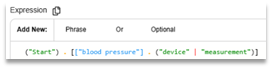
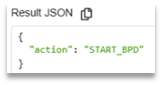
Developers can define custom speech events and actions,
using the intuitive Houndify web interface to configure speech domains and input scopes.

Houndify-web-interface

Result-JSON

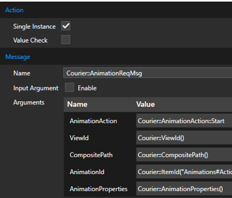
The Candera CGI Studio Player receives SoundHound speech events via the integrated SoundHound component. In Scene Composer specific speech events can be filtered and forwarded to state machines or behaviors for action handling.

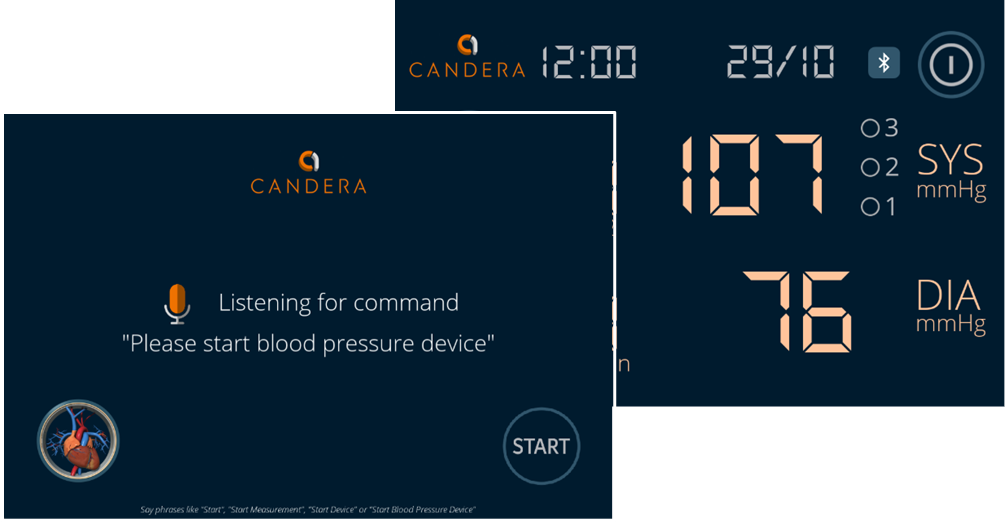
A built-in sample project (a blood pressure monitoring device) showcases how speech events can be linked to conditions and actions through the Scene Composer.

BloodPressureDevice

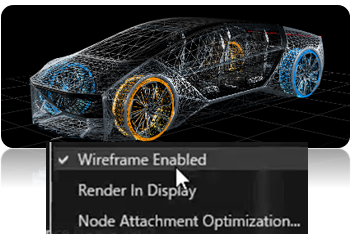
Another highlight of this release is the fully integrated wireframe support, which provides developers with an intuitive way to switch between solid and wireframe rendering for rigid, skinned, and morphed meshes. This feature improves the visualization and manipulation of complex 3D assets directly within the Scene Composer with just a click. Developers can also export wireframe-rendered meshes as assets, streamlig both prototyping and final design workflows.

Wireframe-support

Performance improvements continue with CGI Studio’s font-handling capabilities, now optimized through integration of latest Monotype’s iType technology. By utilizing a prepopulated glyph cache, the application eliminates the need for real-time font rendering during startup, significantly reducing initialization time for performance-critical interfaces like automotive dashboards and industrial control systems.Monotypes

To enhance the visual experience further, the update includes a Masked Blur Effect, allowing developers to blur pop-up backgrounds and improve focus on key interface elements.

Masked-Blur-Effect

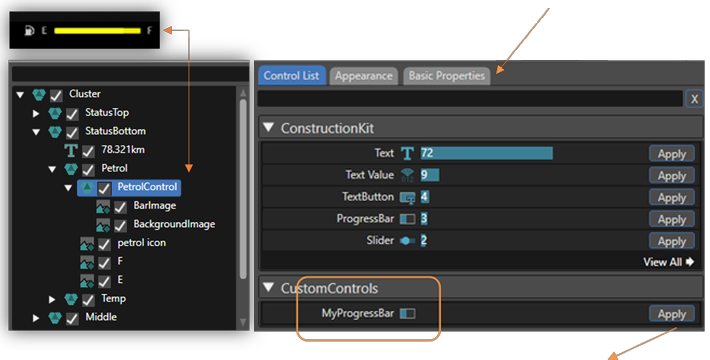
The AI assisted Smart Importer enhances UI design by enabling automatic mapping of assets from Adobe Photoshop and Figma. Developers can easily apply map layered images to custom controls, with auto-mapped layouts reducing manual setup time. For example, images like a multi-layered petrol gauge can be directly imported and mapped to interactive controls in seconds.


Set initial property values, like the fill rate of the petrol gauge in Basic Properties tab.

CGI-Studio-Smart-Importer

Map imported content directly to your custom UI-Control MyProgressBar with the Apply-Button.

Once applied, the Scene Composer creates the custom MyProgressBar UI-Control with the images from Photoshop and initial values from your configuration.


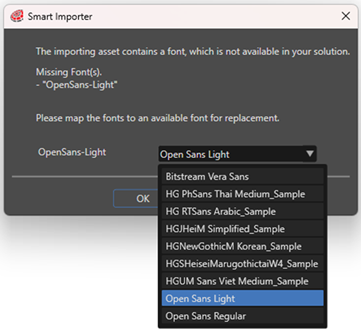
This Smart Importer also includes now font replacement options, ensuring seamless font management across projects.

The new auto-mapping of Figma layouts to CGI Studio’s Stack Layout or Text Layout reduces manual configuration efforts.

Font-replacement

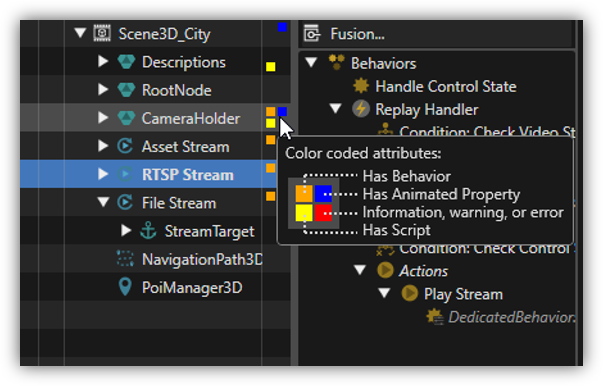
Navigation within complex nested scenes is made easier with color-coded scene tree indicators, which provides instant feedback on scene structure without the need to expand individual nodes.
The Tooltip explains all color-coded attributes while hovering over the matrix.

Scene-Tree-Indicators


CGI Studio 3.15 enhances overall usability within the Scene Composer through a range of optimizations. The new image retention feature preserves original file formats within solution folders, ensuring both fidelity and traceability of imported assets.

Additionally, the text size report tool has been updated to boost performance by analyzing and optimizing font sizes across the application.

The orbit camera has been extended to further improve the user experience, offering smoother control for navigating and editing 3D environments.

These improvements streamline workflows, reduce the number of clicks, and significantly enhance productivity for developers working on complex designs

Data integration has also been upgraded with the introduction of CGI Connector, which replaces the previous Matlab Connector. Notably, the connector features a generic interface for inte-grating also external state machines with minimal effort.
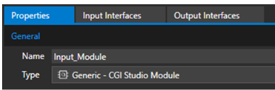
This tool provides a versatile interface for defining input/output relationships, supporting complex data types and dynamic events.

CGI-Connector

Developers can group logical interfaces into modules and automatically generate named ports.

logical-interfaces

The CGI Connector simplifies project integration with a more flexible build system, making data-driven applications faster and easier to build and maintain.

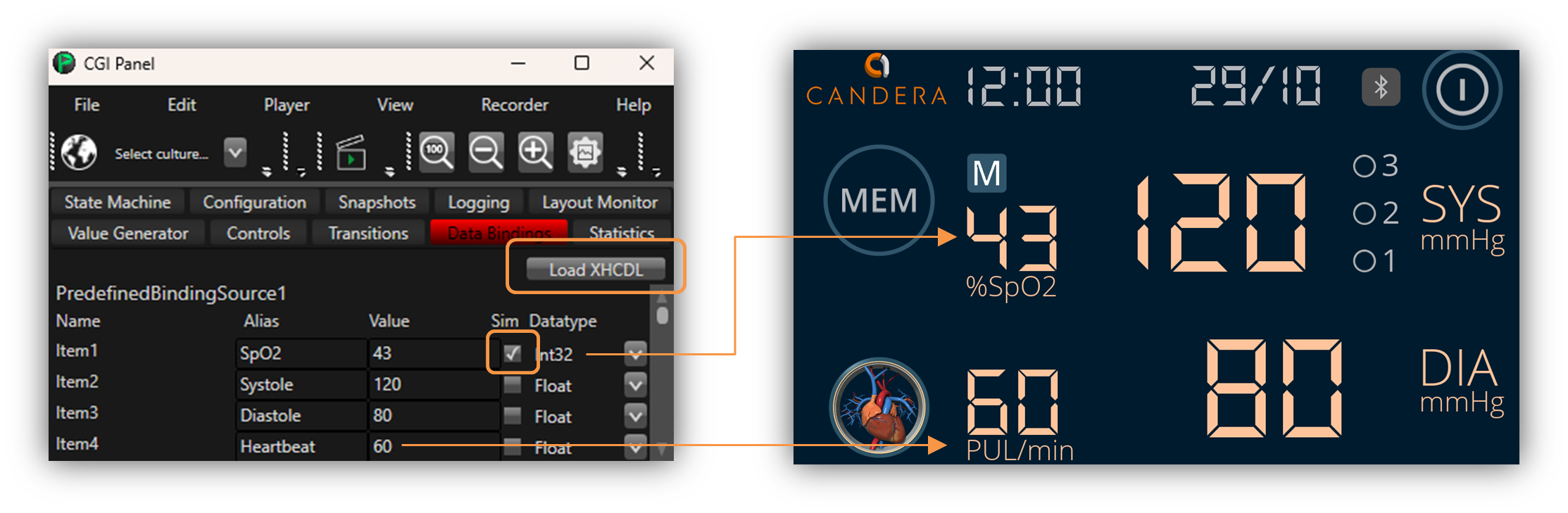
Additionally, data simulation features allow users to load and manipulate data models (XHCDL) directly in the Player, providing real-time feedback during testing.

CGI-Studio-Data-Simulation

Candera CGI Studio 3.15 caters to both small-to-medium-sized businesses (SMBs)
and enterprise clients
.

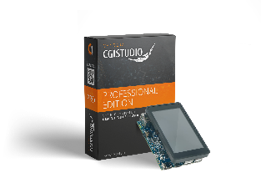
The new CGI Studio Professional Edition is tailored for SMBs and rapid development, offering pre-built players for Linux-based targets such as STM32MP1 and Python-script access to the data model. Dedicated documentation and samples guarantee an easy entry to HMI development on host and target.

SMB

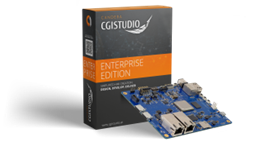
The CGI Studio Enterprise Edition is designed for the automotive market. It provides full access to source code and C++ interface. With this highly flexible edition you get support for premium extensions like Memory Manager, Analyzer, CGI Connector, Asset Shaper, and Scene Composer plug-ins.

EnterpriseEdition

A Game-Changer for Developers Across Industries

Candera CGI Studio 3.15 is already being hailed as a transformative update for developers building HMIs in automotive, appliances, and medical sectors. By integrating cutting-edge AI capabilities, simplifying the design-to-deployment process, and enhancing performance, Candera empowers its
clients to deliver smarter, more interactive user experiences with less complexity.

Want to test the improvements yourself?

Request a free trial version of Candera CGI Studio.

About Candera:

Candera is a pioneer in the field of HMI design software, offering innovative solutions for the automotive industry, wearables, medical, and household appliances. With a focus on user-centric design and cutting-edge technology, Candera continues to set the standard for HMI software development. For more information, please visit www.candera.eu
 

Candera Confidential & Copyright 2025

Learn more about Candera CGI Studio:

Website        LinkedIn       Facebook          YouTube

Enhance HMI Design Efficiency: Candera CGI Studio 3.14 debuts 3D Skinned Meshes and ADAS Tools

Enhance HMI Design Efficiency: Candera CGI Studio 3.14 debuts 3D Skinned Meshes and ADAS Tools

LINZ, August 12, 2024 – Unleash your creativity with the latest release of Candera CGI Studio, now featuring the highly anticipated 3D Skinned Meshes and 3D ADAS solution template for a transformative design experience. Benefit from our clear commitment to continuous software maintenance, ensuring your projects meet the highest reliability standards.

Candera CGI Studio 3.14 is the next step towards highly efficient and more realistic HMI design,” says Roland Winkler, Candera’s Senior Product Development Manager. “We are grateful for the positive feedback we have received from our customers since our last release and are excited to see the new signature UIs they will create with Candera CGI Studio 3.14.” 

Quick overview of the improvements in Candera CGI Studio 3.14:

Graphic UX Deployment

• 3D Skinned Meshes

• 3D ADAS Control

• Customer Shader Support
in 2D Scenes

• Hi-Res Scene Composer

• Numerous Scene Composer
UX improvements

• Courier Data Source Editor

• New CMake System

• Simplified Patch Application


Graphic Improvements

These new graphic features in Candera CGI Studio are designed to enhance flexibility and efficiency in developing HMI designs while improving application usability and visual quality.

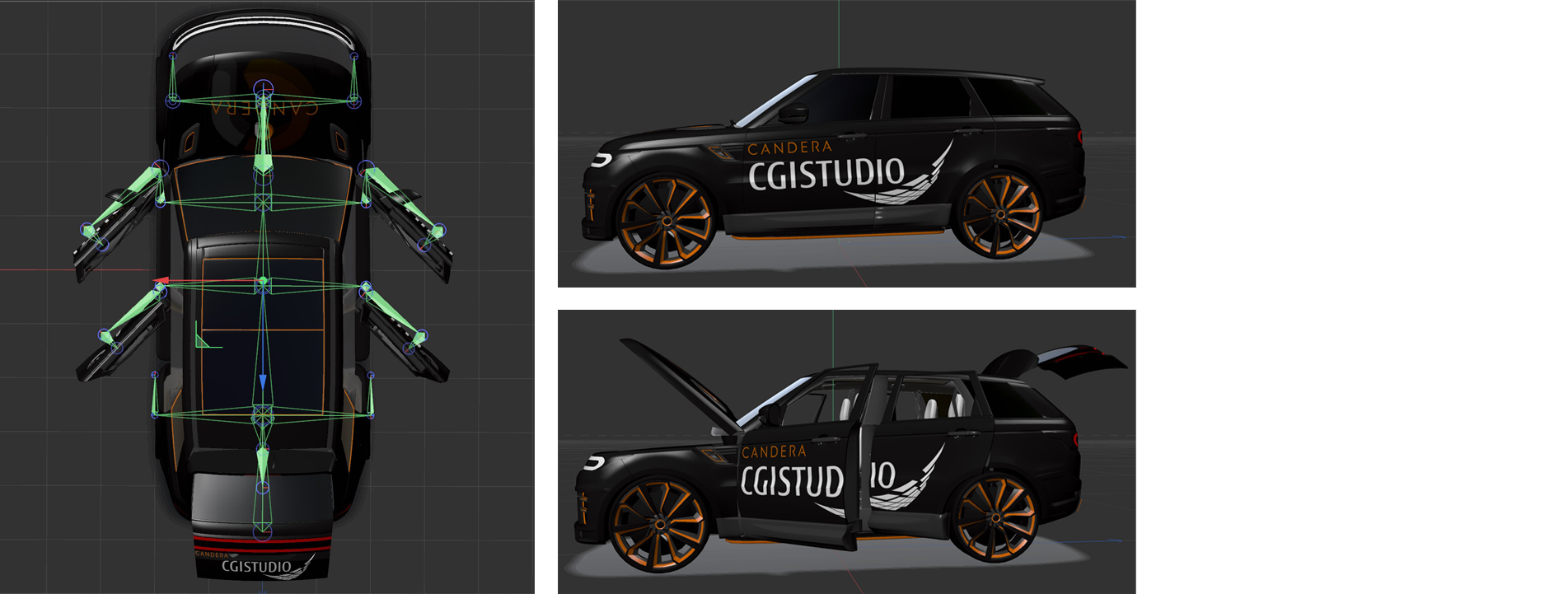
The 3D Skinned Meshes feature allows you to execute advanced, flexible body transformations. This functionality lets you easily import skinned 3D meshes using FBX and glTF files.

CGI-SkinningFeature-LowQ

Additionally, an extended 3D effects solution template featuring bone animations is included in the Scene Composer. This feature is particularly useful for integrating realistic movements and animations into your HMI designs.


The 3D ADAS Control feature offers a ready-to-use solution template for Advanced Driver Assistance Systems (ADAS), including 3D animations. This functionality lets you easily customize various ADAS controls to match your design. With this solution template, developers can create interactive and user-friendly ADAS interfaces that enhance driver safety and comfort.

ADAS

Fully customizable ADAS solution template

The support for custom shaders in 2D scenes allows you to enrich 2D scenes running on OpenGL devices with your own 3D effects. This opens up new possibilities for visual effects and design flexibility. An OpenGL2D Effects solution template is also available for reference. This feature enables you to integrate unique and engaging graphical representations tailored to specific requirements into your 2D applications.

2D-Shader

Open GL2D Effects solution template

Custom2DShaderSample

Custom 2D Shader Sample

Custom2DShaderProperties

Custom 2D Shader Properties

UX Improvements

These additional UX features in Candera CGI Studio are designed to improve the user experience by offering sharper visuals, enhanced performance, and more intuitive tools for managing data and documentation.

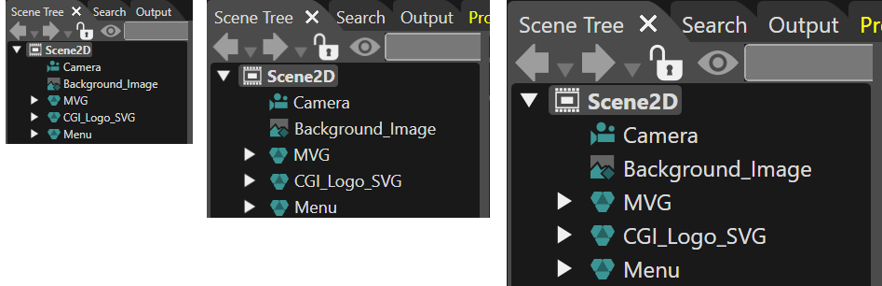
The Hi-Res Scene Composer in Candera CGI Studio ensures that the user interface remains sharp and clear, regardless of screen resolution. It provides a smooth experience across low- and high-resolution displays, maintaining visual consistency. Additionally, icons stay clear and well-defined at any DPI setting, enhancing the overall visual appeal.

Sharp and clear interface in Scene Composer on any screen resolution 

Making the software faster and more responsive is the main goal of the following Scene Composer UX improvements: The 2D Scene Editor now supports a “Fit to Screen” mode, allowing users to view their entire scene without the need to scroll.

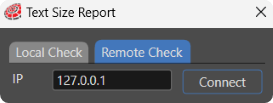
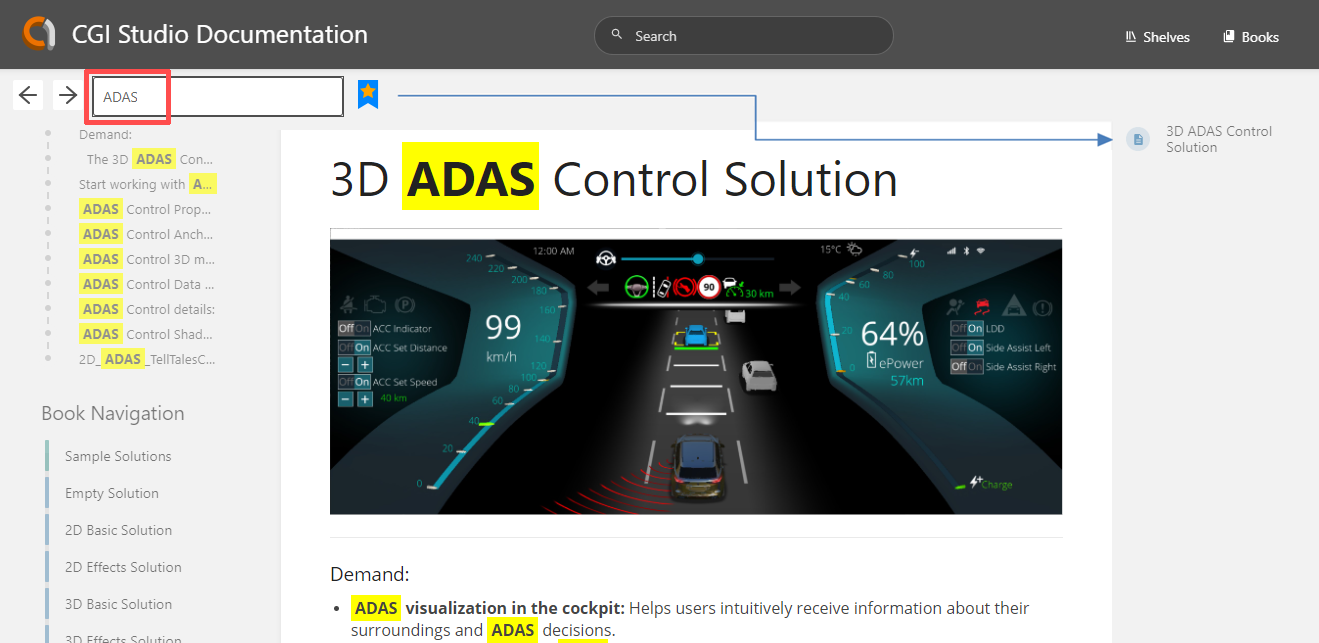
The Text Size Report feature can now execute tests remotely on the target platform, simplifying the process of ensuring text readability and consistency. Enhanced documentation features have also been introduced, allowing users to bookmark their favorite documentation pages for quick access and improving the search functionality to make it easier to find necessary information.

fit-to-screen

Fit to Screen mode

Text-Size-Report

Text Size Report executes tests on the target platform

Documantation

All search results are highlighted

Bookmark your favorite pages

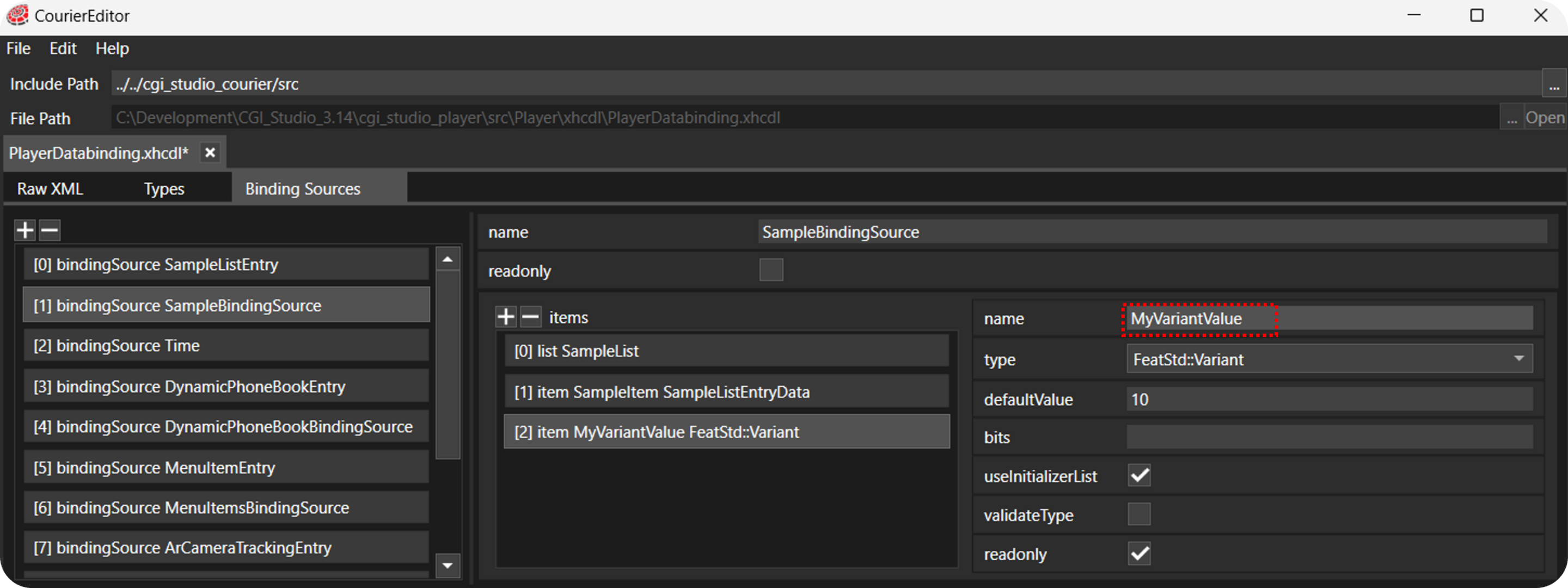
The Courier Data Source Editor provides a graphical user interface for easily composing your data model. This feature simplifies the creation and management of data sources, making developing and maintaining your HMI projects more efficient. The visual approach of this editor makes it intuitive and user-friendly to create and edit data models.

xml-file

Compose your data model graphically, no need for writing an .xml-file

Deployment improvements

These improvements in Candera CGI Studio aim to enhance the development process by providing modern, user-friendly tools for configuration and updates, ensuring a smooth and efficient workflow.

The new CMake System in Candera CGI Studio is based on the latest version of CMake, incorporating the newest features available. This system offers a simpler configuration process, adhering to guidelines from CMake.org. The structure is clean and straightforward, making the configuration much easier to understand and implement. It’s important to note that the legacy CMake system will still be supported until Candera CGI Studio version 3.15, allowing users a transition period to adapt to the new system.

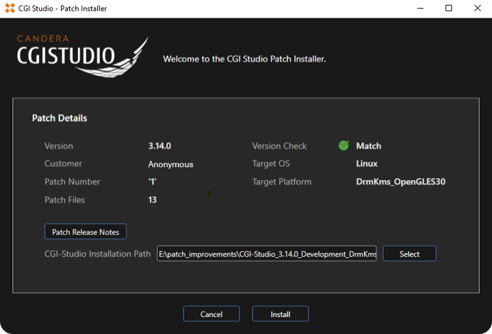
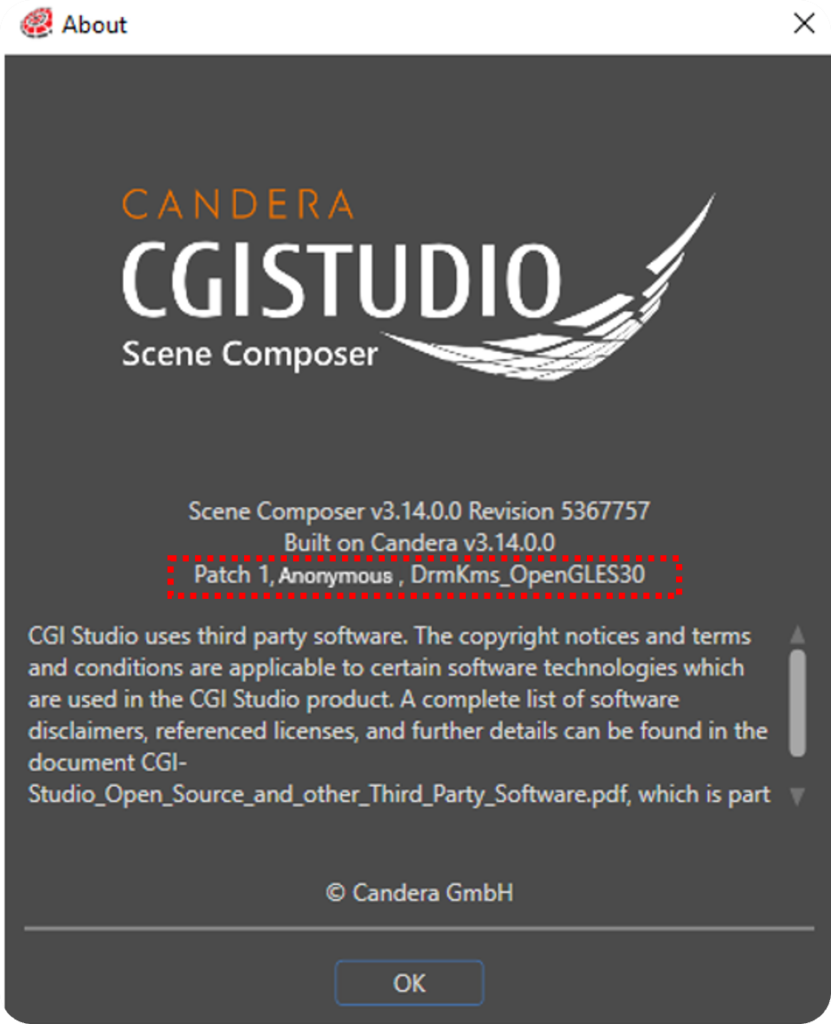
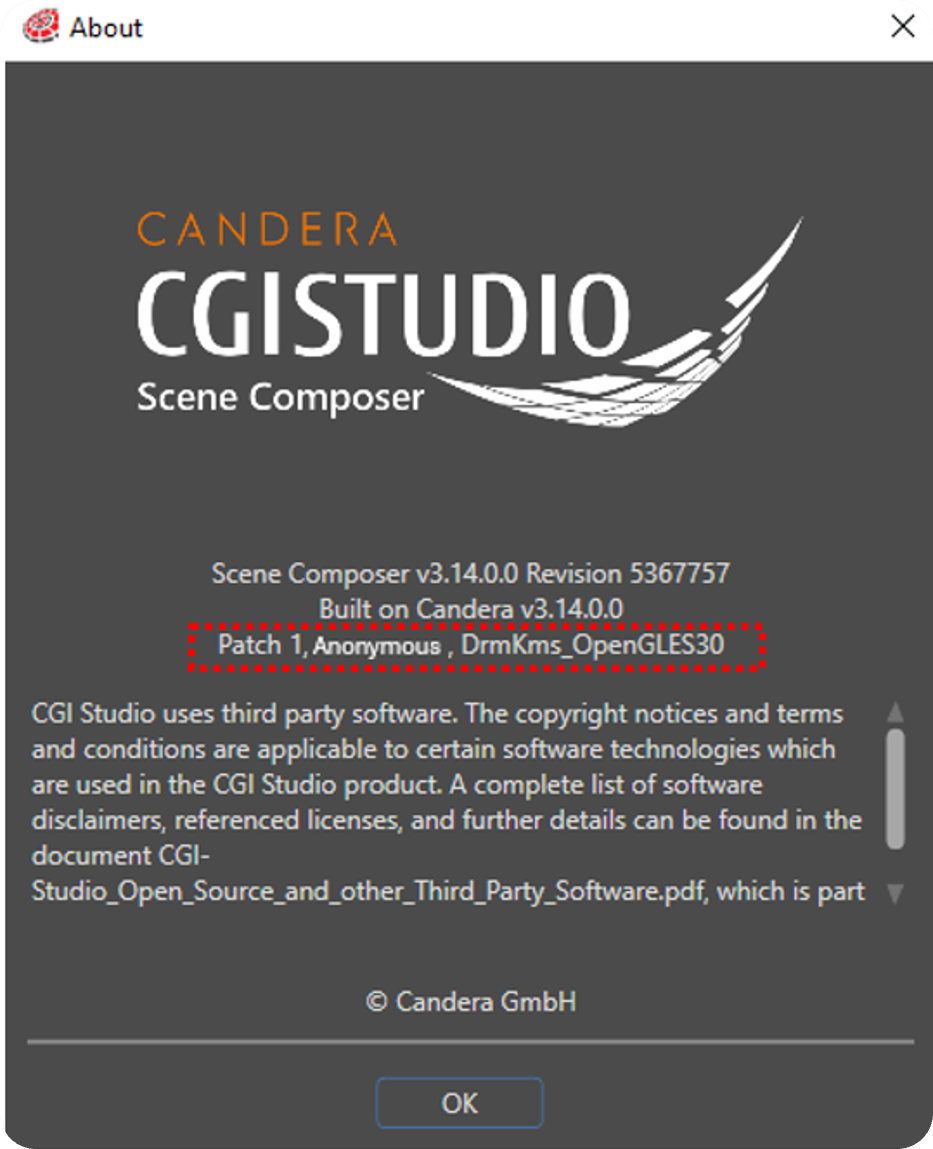
The simplified patch application feature allows for self-extracting patches that include verification of the code base integrity. This ensures that updates are applied securely and correctly. Additionally, users can view the patch history directly in the Scene Composer, providing transparency and ease of tracking changes over time.

patch-installer

The simplified patch application now includes several verifications

Patch history visible in “About” window

Want to test the improvements yourself?

Request a free trial version of Candera CGI Studio.


About Candera:

Candera is a pioneer in the field of HMI design software, offering innovative solutions for the automotive industry, wearables, medical, and household appliances. With a focus on user-centric design and cutting-edge technology, Candera continues to set the standard for HMI software development. For more information, please visit www.candera.eu
 

Candera Confidential & Copyright 2024


Learn more about Candera CGI Studio:

Website        LinkedIn       Facebook          YouTube

Candera @Embedded World 2024: High-performing HMIs for fast-moving markets

Candera @Embedded World 2024: High-performing HMIs for fast-moving markets

Linz, Austria, 26. April 2024. Candera presented CGI Studio 3.13 on a vast variety of GUIs: From HMIs for smart homes, cars, bikes, medical devices, and industrial automation applications –showing how Human Machine Interfaces (HMI) can easily and quickly be created for a wide range of applications.


Candera presented GUIs reaching from a Smart Home washing machine with ‘Guided Maintenance’ features in spectacular 3D design to medical demos highlighting CGI Studios capacities in safety-relevant fields. Making these applications possible are the latest versions of Candera’s high performing HMI tool, CGI Studio 3.12 and CGI Studio 3.13 with the award-winning Smart Importer.

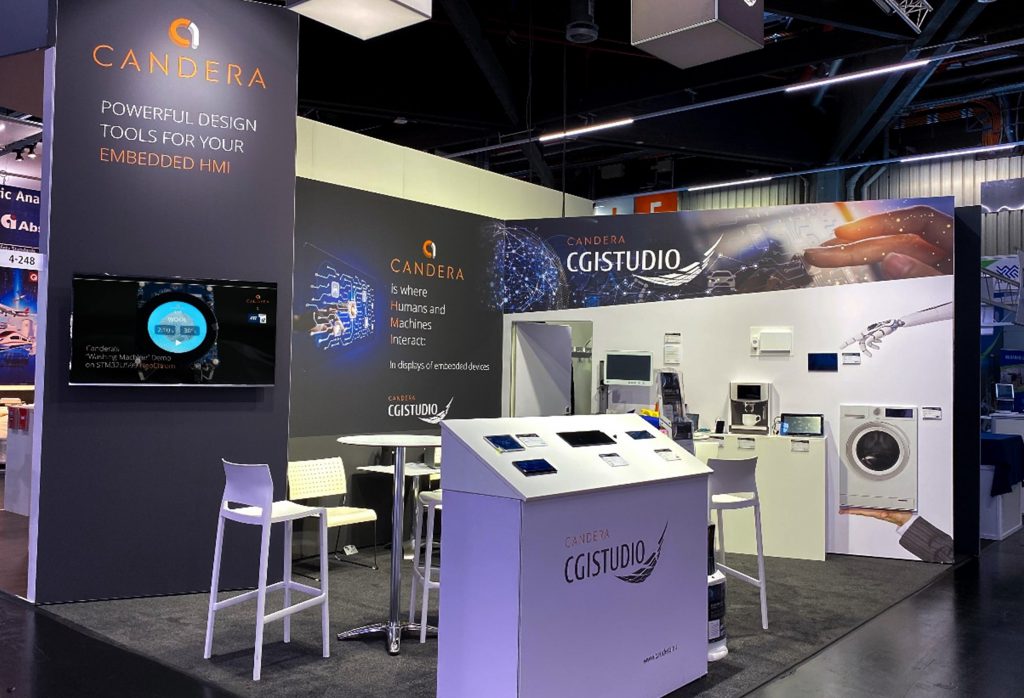
 Fig. 1: Candera’s booth in hall 4 of Embedded World

Smart Homes: Candera HMIs on low-end and high-end devices

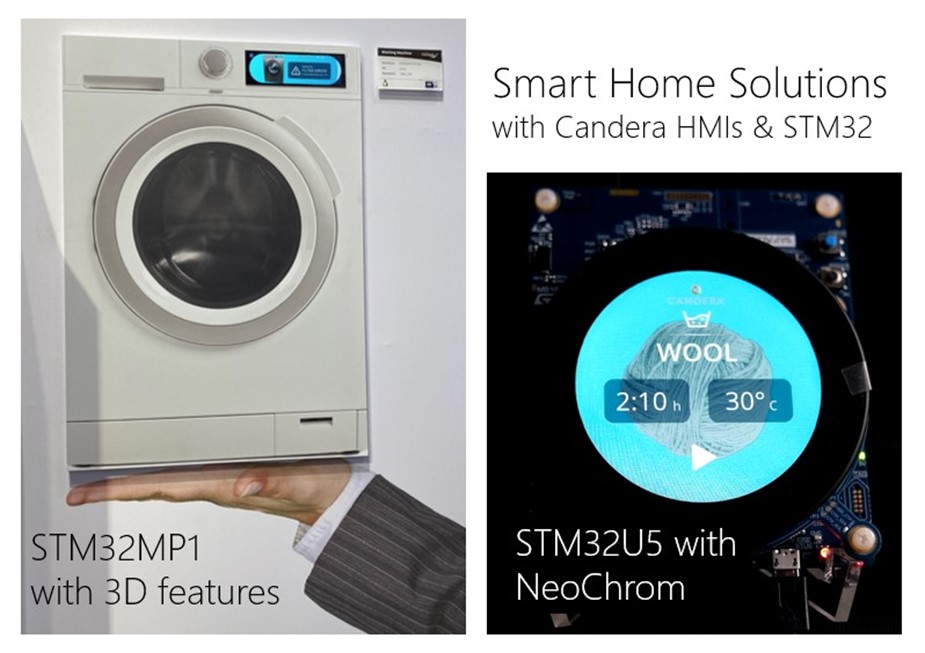
Candera presented its latest “Smart Home” Washing Machine with high-end 3D effects. Highlights include the “Guided Maintenance” feature, supporting the user visually by showing the cause of the problem, for example to replace an old filter or connecting to the service hotline, if professional help is necessary.

While the wide screen Washing Machine demo was running on ST Microelectronic’s STM32MP1 on the Candera booth, its sister demo was presented the ST Graphics Wall showing what can be done on smaller devices, such as the STM32U5 series with NeoChrom.


Fig. 2: ST Micro and Candera’s sister Smart Washing Machine demos on STM32 devices


Industrial Applications: Stay in control
Industrial HMIs, be it for machine operations, maintenance panels, logistics management or warehousing, can help avoid costly mistakes, speed up the on-boarding process of new operators and reduce maintenance costs.

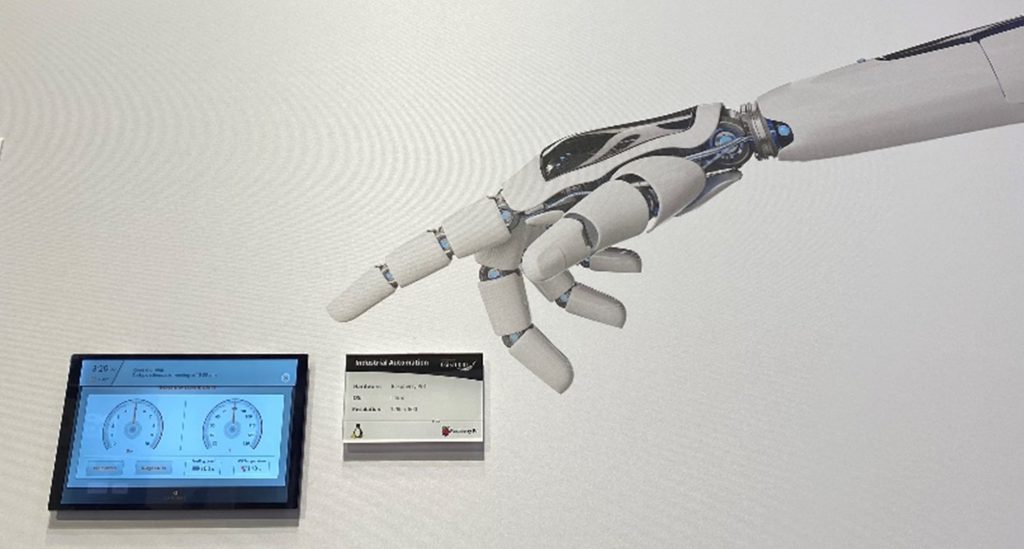
At Embedded World, Candera showed how advanced Human Machine Interfaces for Industrial Applications combine usability with brilliant GUIs to ensure users stay in control.

Fig. 3: Candera’s Industrial Automation demo with advanced 3D features


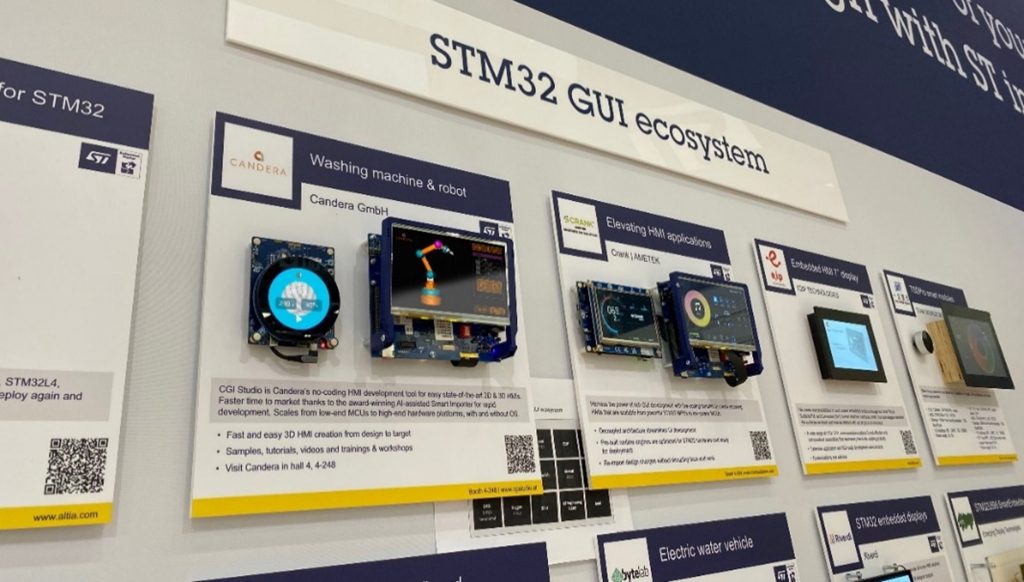
A second Industrial HMI by Candera was presented on ST Microelectronics GUI Partner Wall:


Candera @ partners’ booths

Candera’s partners also appreciate CGI Studio’s reliability and variability. Among them ST Microelectronics, Raspberry Pi, Hy-Line, and Conze, all of whom presented demos either by or in cooperation with Candera at their booths during Embedded World.


ST Microelectronics, for example, used the latest STM32MP2 MCU to present Candera’s “Robotic Teaching” demo. By touching and adjusting the joints of the 3D robot on the GUI, users and re-adjust complex movement patterns of the real robot, save the pattern and check it in re-play.

Fig.4 Candera’s Washing Machine and Robotic demos at ST Microelectronic’s “Graphics Partner Wall”


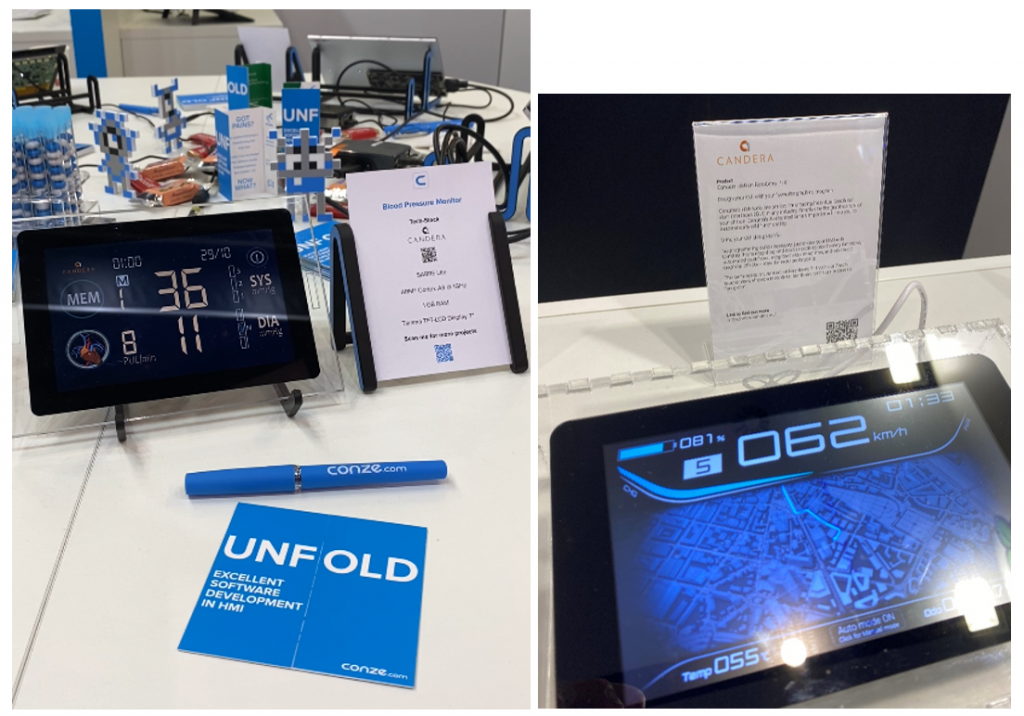
Conze presented 3 demos made with CGI Studio, on of them the “Blood pressure” with a beating 3D heart at its core. Raspberry Pi included Candera’s HMI for an electronic motorbike with high-end 3D features in its navigation system on their booth.


Fig.5: Candera’s demos at e.g. Raspberry Pi (Electronic Motorbike) and Conze (Blood Pressure) booths during Embedded World 2024


Candera’s award-winning Smart Importer: HMI creation made easy
Based on innovative AI-detection technologies, Candera’s Smart Importer speeds up the whole HMI creation process. While other HMI design tools require the user to import each single element and add functionality to them one after another, Candera’s Smart Importer will do a direct import of a design file and enrich it with functionality automatically.

Fig.6: Candera’s Smart Importer makes HMI creation easy


Users can import graphics files from Adobe Photoshop®, Sketch, Axure RP, Figma or Adobe XD into CGI Studio. Relevant components like gauges, sliders, buttons, and many more are automatically detected, and the most probable functionality can be added to each element.


For more of CGI Studio’s highlight features such as text size verification, dynamic lists with snap function, additional 3D Primitives, rotate and zoom functions in the CGI Studio Player, or support for vector graphics, click here.


Request a trial version of CGI Studio now!