Candera Multi-Domain Cockpit Demo: Integrating Unreal Engine Across Android, QNX and Functional Safety Domains
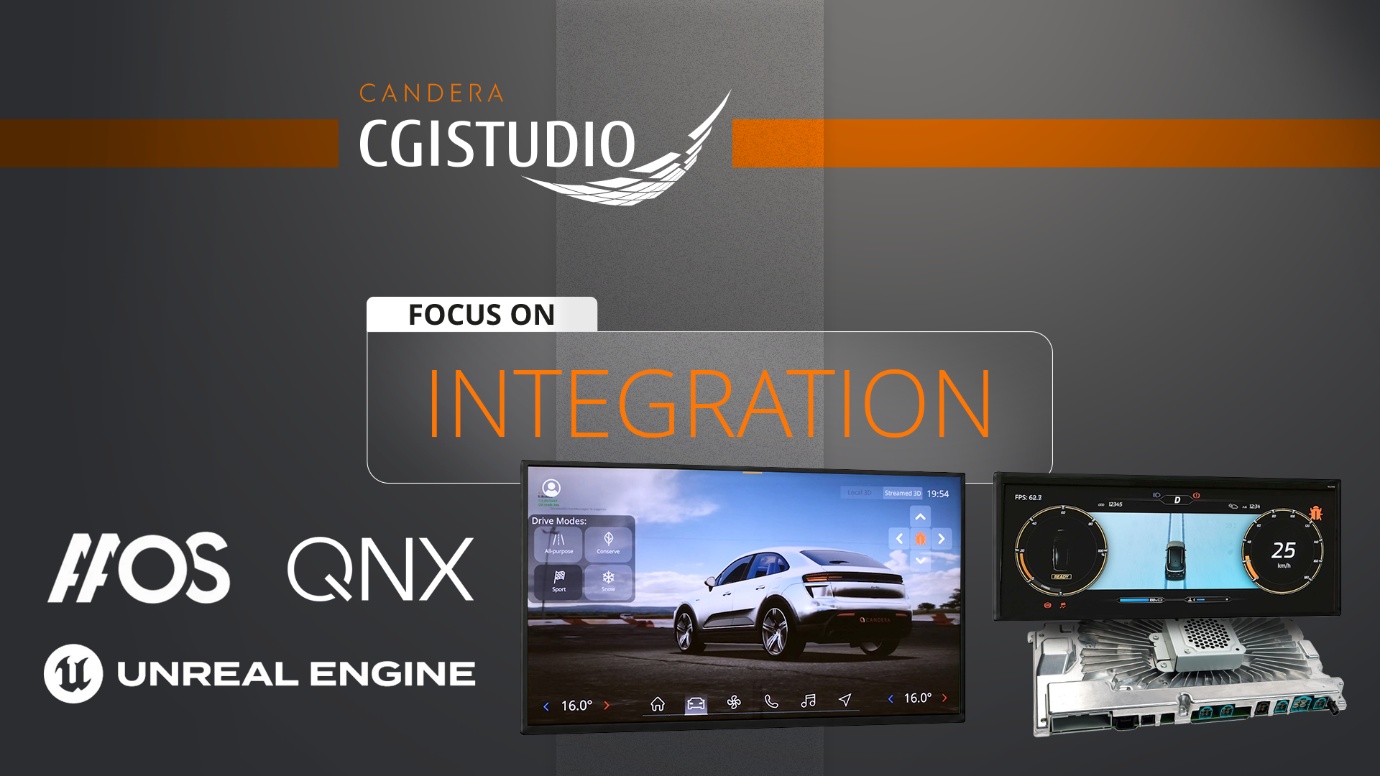
Candera Multi-Domain Cockpit Demo: Integrating Unreal Engine Across Android, QNX and Functional Safety Domains

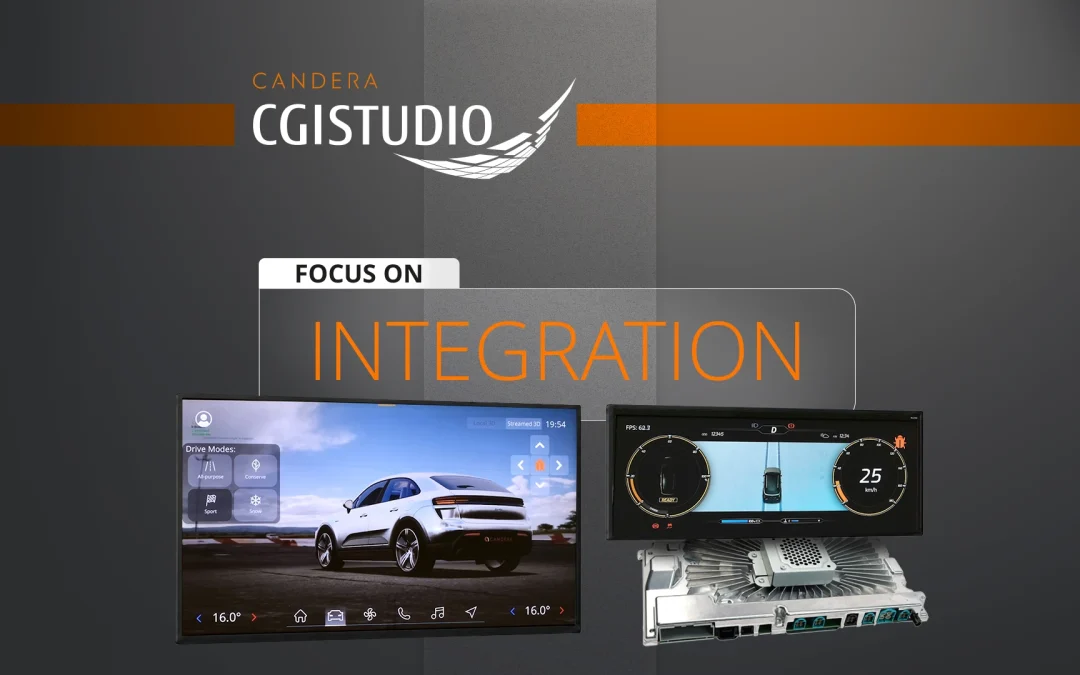
Candera Multi-Domain Cockpit Demo – Focus on Integration

Candera Multi-Domain Cockpit Demo: Integrating Unreal Engine Across Android, QNX and Functional Safety Domains

Software-defined vehicle architectures increasingly combine multiple displays, operating systems and application domains on one centralized computing platform.

Infotainment applications often run in Android Automotive, while instrument clusters, functional safety components, vehicle communication, early graphics and ADAS-related content may operate in QNX, AUTOSAR or other real-time environments.

At the same time, Unreal Engine is increasingly used to create high-fidelity 3D graphics for automotive cockpit applications.

The challenge is not only generating advanced visual content. It is integrating that content efficiently across displays, applications and operating system domains.

The Candera Multi-Domain Cockpit Demo shows how Candera CGI Studio connects Unreal Engine, native embedded 3D visualization, Android Automotive, QNX and functional safety within one integrated architecture.

Unreal Engine in a Multi-Domain Cockpit

Unreal Engine is typically deployed in the Android domain of a software-defined vehicle platform, where it can run in its native environment.

However, many cockpit applications do not run in Android. Instrument clusters, head-up displays, safety-related graphics and real-time vehicle functions may be assigned to other operating system domains.

This creates a central architectural question: How can Unreal Engine content be used across the cockpit without porting and maintaining Unreal Engine separately for every target operating system?

The Candera approach keeps Unreal Engine in the Android domain and makes its rendered output available to CGI Studio applications running in other environments.

CGI Studio applications can execute natively on Android, Android Automotive, Linux, QNX and additional embedded platforms. Unreal Engine content can therefore be integrated across cockpit domains without requiring the engine itself to run in each operating system.

Streaming Unreal Engine Content into CGI Studio

In the Candera Multi-Domain Cockpit Demo, camera output from Unreal Engine 5.6 is streamed directly into a CGI Studio 3D scene.

The stream is displayed on a CGI Studio 3D billboard and becomes part of the complete HMI composition. It can be combined with:

  • Native CGI Studio 2D controls
  • Native CGI Studio 3D content
  • Application logic
  • Driver information
  • Safety-related graphics

Candera CGI Studio remains responsible for the surrounding HMI, interaction logic and compositing.

The Unreal Engine scene is controlled through a CGI Studio 2D panel. Controls within the interface trigger Blueprint logic and influence animations, camera behavior, object states and scene parameters.

In this setup, CGI Studio sends control values to Unreal Engine, while Unreal Engine streams its rendered output back to CGI Studio.

The communication flow is:
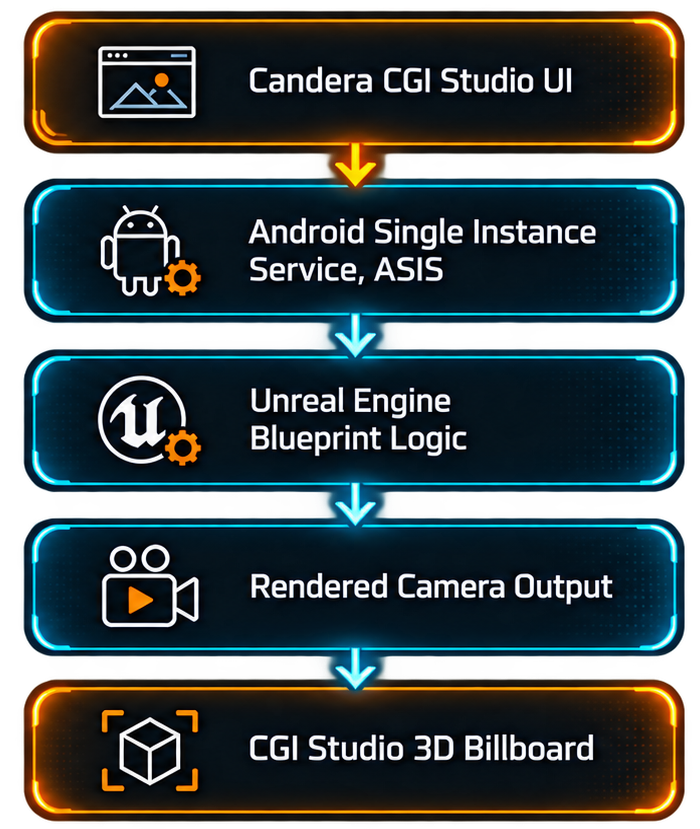
Communication flow from Candera CGI Studio UI via ASIS and Unreal Engine Blueprint logic to the CGI Studio 3D billboard

One Unreal Engine Instance with ASIS

The integration uses the Android Single Instance Service, ASIS, introduced by Epic Games.

Earlier Unreal Engine architectures typically required each application to include its own renderer instance. In a multi-display cockpit, this could result in several Unreal Engine runtimes operating in parallel.

ASIS allows multiple applications to use one central Unreal Engine renderer instance within the Android domain. This reduces duplicated runtime resources and provides a more efficient basis for distributing Unreal Engine content across several displays and applications.

The receiving Candera CGI Studio applications can run in different operating system domains, while Unreal Engine remains in Android.

This also simplifies the update path. New Unreal Engine versions can be introduced within the Android environment without requiring a dedicated engine port for each receiving operating system.

Data Exchange through the Courier Framework

Graphical streaming is only one part of the integration. Automotive applications also need to exchange system states, application data and user input.

Candera CGI Studio uses the Courier Framework for this communication.

Courier is based on an XML-defined data model that describes the values exchanged between the HMI and the underlying application logic. In CGI Studio Scene Composer, these values can be connected to visual properties, animations, application states and touchscreen input.

At build time, backend code is generated to connect the HMI data model with the relevant application sources.

This enables Candera CGI Studio controls to send values to Unreal Engine Blueprint logic while keeping the HMI data model integrated with the surrounding automotive application.

Compositing and Touchscreen Arbitration

Modern cockpit displays often combine content from several applications and rendering technologies.

Candera CGI Studio handles the compositing of native CGI Studio content and streamed Unreal Engine scenes. CGI Studio elements can be placed above or around Unreal Engine content where required.

Typical overlay content includes:

  • Driver information
  • Navigation elements
  • User controls
  • Status information
  • Functional safety telltales

Candera CGI Studio also manages touchscreen arbitration and determines how input is distributed across the graphical layers and applications.

This keeps interaction logic, user input and driver-relevant information under the control of the embedded HMI framework.

Functional Safety over High-Fidelity Graphics

High-quality 3D graphics and functional safety requirements must coexist within modern automotive displays.

The Candera architecture separates safety-related content from the Unreal Engine rendering path.

Safety-relevant elements such as telltales are created and configured within CGI Studio. They can be composited above Unreal Engine scenes and monitored independently during runtime.

CGI Studio CRC Safety verifies whether the displayed safety-related content matches the expected reference information. If a mismatch is detected, the application can automatically transition into a defined safe state.

This allows high-fidelity Unreal Engine content to be combined with independently monitored safety-related graphics.

Functional Safety across Android and QNX

The Candera Multi-Domain Cockpit Demo includes an interactive functional safety use case running across separate operating system domains.

A dedicated Bug Controller within the Android Automotive IVI application injects display faults into a separate QNX-based functional safety cluster application.

The IVI application forwards values through the shared FusaDemoBugPosition data source to the CGI Studio application running in the QNX cluster domain.

The received value changes the position of monitored content and creates a mismatch between the expected and displayed result.

CGI Studio CRC Safety detects the mismatch and initiates the safe-state response.

The complete sequence is visible in the demo:

  1. A display fault is initiated in the Android IVI.
  2. The value is transferred to the QNX application.
  3. The monitored content is modified.
  4. CGI Studio CRC Safety detects the mismatch.
  5. The application transitions into the defined safe state.

The use case demonstrates both cross-OS application communication and runtime protection of safety-related display content.

Native CGI Studio 3D for High-Quality Embedded Visualization

Unreal Engine is well suited for highly complex and visually demanding 3D scenes. However, not every automotive application requires the full Unreal Engine runtime.

The native Candera CGI Studio 3D engine provides an embedded-focused alternative for applications where memory footprint, startup behavior, hardware cost and system performance are critical.

It supports physically based rendering, interactive 3D scenes, particle effects, real-time animation and data-driven visualization. Because the renderer, application logic and HMI content are integrated within one development framework, CGI Studio 3D is particularly well suited for production-focused automotive applications with defined performance, memory and hardware requirements.

The deployment sizes in this demo illustrate the different resource profiles. The Unreal Engine ASIS installer APK for Android is approximately 500 MB and does not include the application itself. By comparison, the Candera instrument cluster application is approximately 90 MB, including both the application and the CGI Studio renderer.

These figures are specific to the demonstrated applications and are not intended as a general performance or visual-quality benchmark. They demonstrate that CGI Studio can deliver sophisticated 3D visualization with a significantly smaller deployment footprint in this particular setup.

This can help reduce memory requirements, support cost-optimized hardware configurations and enable deployment on a broader range of automotive SoCs.

CGI Studio 3D and Unreal Engine are therefore not positioned as higher- and lower-quality alternatives. They provide different strengths and can be used individually or combined within the same cockpit architecture, depending on the visual, technical and commercial requirements of the project.

Demonstrated on Panasonic SkipGen3

The Candera Multi-Domain Cockpit Demo runs on the Panasonic SkipGen3 automotive cockpit platform.

The hardware is based on a Qualcomm QA8295P system-on-chip, while an Infineon TRAVEO-II microcontroller handles vehicle communication.

The platform software uses a QNX Hypervisor hosting two guest operating systems:

  • Android Automotive OS 14
  • QNX 7.1

The Android Automotive domain drives a 1920 × 1080 IVI display. It runs the infotainment application, native CGI Studio 3D content, Unreal Engine integration, and the functional safety Bug Controller.

The QNX domain drives a 1920 × 720 cluster display. It runs the instrument cluster, native CGI Studio 3D weather visualization, and the functional safety companion application.

Multiple CGI Studio applications operate on the same centralized hardware platform while remaining separated within their respective operating system environments.

Conclusion: One Architecture. Multiple Visualization Options.

The Candera Multi-Domain Cockpit Demo shows how Unreal Engine, native CGI Studio 3D, Android Automotive, QNX, and functional safety can operate within one centralized automotive platform.

Unreal Engine remains in its native Android environment, while CGI Studio integrates its rendered output into applications running across different cockpit domains.

At the same time, Candera CGI Studio provides native 2D and 3D visualization, HMI logic, compositing, touchscreen arbitration, data communication and functional safety monitoring.

The result is a flexible architecture for building scalable, multi-display and safety-aware automotive HMIs.

Scalable and Future-Proof HMI Solutions: How CGI Studio Ensures Long-Term Success

Scalable and Future-Proof HMI Solutions: How CGI Studio Ensures Long-Term Success

FUTURE PROOF-HMI

Scalable and Future-Proof HMI Solutions: How CGI Studio Ensures Long-Term Success

The world of Human-Machine Interface (HMI) development is constantly evolving. As hardware becomes more powerful and user expectations continue to rise, developers must create HMIs that are not only functional today but also adaptable to future advancements. CGI Studio helps developers accelerate the HMI design process. It offers the tools needed to build scalable and flexible HMI solutions, ensuring projects remain competitive in the long run.

In this blog, we’ll explore how CGI Studio can accelerate the HMI design process. We’ll show how it enables developers to stay ahead of emerging technologies and makes for a smart, future-ready investment.

The Need for Platform-Independent HMI Solutions by CGI Studio

As technology evolves, devices using HMIs are becoming more complex and powerful. From automotive infotainment systems to medical devices and consumer electronics, each hardware generation brings new ways for users to interact. But these advancements also pose challenges. Developers must ensure that HMIs can scale with the demands of new hardware and user expectations.

Traditional HMI development frameworks often struggle to keep pace. Developers might need to completely rebuild their HMIs as hardware capabilities grow. This results in higher development costs and longer time-to-market.

CGI Studio solves this by offering a scalable solution. Developers can start with existing low-end microcontroller units (MCUs) and easily scale their HMIs as hardware improves. This allows for smoother transitions and lower development effort over time.

Future-Proofing Your HMI Development

One of the key benefits of CGI Studio is its ability to future-proof HMI development. It enables developers to build HMIs that are easy to update and extend. This ensures your investment remains secure as technologies advance.

For instance, developers can design an HMI that works with today’s hardware, but is also ready for features like 3D graphics or advanced touch interactions. As hardware capabilities expand, your HMI stays competitive without requiring a full redesign.

Reusing Existing Solutions for Long-Term Savings

CGI Studio’s scalability also supports the reuse of existing HMI solutions. Developers can build an HMI for one product and adapt it for others. This eliminates the need to start from scratch each time, saving time and resources.

For example, an automotive company can design an HMI for a premium vehicle and then repurpose it—with minimal changes—for entry-level models or even home appliances. This extends the lifecycle of your HMI and supports a consistent user experience across devices.

Adapting to Industry Standards

Tech standards change fast. CGI Studio is built to adapt to evolving industry standards, ensuring your HMIs remain compliant and modern.

Whether you're adopting new display technologies, touch interfaces, or voice controls, CGI Studio lets you integrate these features with ease. There’s no need for a complete overhaul. This makes CGI Studio a solid choice for teams that want to stay ahead of the curve.

Whether you’re building HMIs for automotive, medical, or consumer electronics, CGI Studio helps you accelerate HMI design process. Its flexibility and reusability allow faster integration of new technologies and broader application across product lines.

Conclusion: A Scalable Solution for the Future of HMI Development

In an industry where technology is constantly advancing, scalability is key to long-term success. CGI Studio’s scalable and future-proof HMI solution ensures that developers can create HMIs that are ready to adapt to new hardware advancements, industry standards, and user expectations.

By providing a flexible, reusable framework, CGI Studio allows developers to save time, reduce costs, and ensure that their HMI solutions remain relevant well into the future. Whether you’re developing for automotive, medical, or consumer electronics applications, CGI Studio is the ideal platform for building scalable, future-proof HMIs that can grow alongside your products.

Bridging the Gap Between Designers and Developers: How CGI Studio Facilitates Collaboration

Bridging the Gap Between Designers and Developers: How CGI Studio Facilitates Collaboration

Designer-Developer Collaboration in HMI

Bridging the Gap Between Designers and Developers: How CGI Studio Facilitates Collaboration

Accelerating the HMI design process is essential in today’s Human-Machine Interface (HMI) development landscape, where there is often a disconnect between designers and developers. Designer-Developer Collaboration in HMI is critical to overcoming this gap. Designers focus on aesthetics and user experience, while developers prioritize functionality and technical implementation. This divide can lead to miscommunication, inefficiencies, and even project delays. CGI Studio addresses this challenge by providing a platform that bridges the gap between Designer-Developer Collaboration in HMI and ensures that both teams can work together seamlessly.

The Challenge: A Disconnect Between Design and Development

In traditional HMI development workflows, designers and developers often work in separate silos. Designers create visually appealing mockups and prototypes, which are then handed off to developers to be implemented. However, this handoff process can result in miscommunication, as developers may struggle to translate the designer’s vision into a functional interface. This disconnect can lead to frustration on both sides—designers may feel that their vision is being compromised, while developers may feel constrained by technical limitations. This tension can slow down the development process, as teams must spend additional time clarifying requirements and revising designs.

CGI Studio: A Unified Platform for Designer-Developer Collaboration in HMI

CGI Studio solves this problem by providing a unified platform that allows designers and developers to collaborate in real-time. With its intuitive WYSIWYG (What You See Is What You Get) design environment, designers can create visually stunning HMIs without needing to write code. At the same time, developers can work within the same platform to implement functionality, ensuring that the final product aligns with both the designer’s vision and the technical requirements. By eliminating the need for separate design and development tools, CGI Studio streamlines the workflow and reduces the risk of miscommunication. Designers and developers can work together within the same environment, making it easier to collaborate, iterate, and deliver a cohesive final product. CGI Studio helps accelerate the HMI design process by providing a real-time collaborative environment.

Designer-Centric Tools to Accelerate HMI Design Process

One of the key features that makes CGI Studio so effective at bridging the gap between design and development is its designer-centric toolset. The platform is built with designers in mind, offering tools that allow them to create, modify, and refine their HMI designs without needing to rely on developers to implement their vision. With its drag-and-drop interface, designers can quickly assemble user interfaces, adjust layouts, and customize elements to fit their design specifications. This visual workflow ensures that designers can experiment with different ideas and see the results in real-time, all without needing to touch a line of code.

Reducing the Learning Curve

One of the barriers to collaboration between designers and developers is the steep learning curve associated with many HMI development tools. Designers may feel overwhelmed by technical jargon or complex coding environments, while developers may struggle to understand the nuances of visual design. CGI Studio helps reduce this learning curve by providing an intuitive interface that both designers and developers can easily understand. By simplifying the design and development process, CGI Studio ensures that all team members can contribute to the project, regardless of their technical expertise. This promotes smoother Designer-Developer Collaboration in HMI environments.

A Seamless Handoff Process

Even in situations where designers and developers work separately, CGI Studio ensures a seamless handoff between teams. Designers can create fully functional prototypes within CGI Studio, which can then be handed off to developers for further refinement and implementation. This ensures that developers have a clear understanding of the designer’s vision and can implement it with precision. The ability to share detailed prototypes reduces the need for lengthy back-and-forth communication and helps teams stay on schedule.

Conclusion: Collaboration Made Simple with CGI Studio

CGI Studio is more than just an HMI development tool—it’s a platform for collaboration. By providing designer-centric tools and an intuitive interface, CGI Studio bridges the gap between designers and developers, ensuring that both teams can work together efficiently to create stunning, functional HMIs. Whether you’re a designer looking to bring your vision to life or a developer focused on technical implementation, CGI Studio makes collaboration simple and seamless. With its unified platform, you can deliver projects faster, reduce miscommunication, and ensure that your final product meets the needs of both design and development.

Comprehensive Support for CGI Studio Users: Personalized Assistance for HMI Success

Comprehensive Support for CGI Studio Users: Personalized Assistance for HMI Success

HMI Developer Support

Comprehensive Support for CGI Studio Users: Personalized Assistance for HMI Success

Developing sophisticated Human-Machine Interfaces (HMIs) requires not only the right tools but also the right support. Whether you’re an experienced developer or just starting out, access to expert guidance and personalized assistance can make all the difference in your HMI project's success. CGI Studio offers a highly advanced, professional-grade HMI tool. What truly sets it apart is the HMI Developer Support available to its users.

In this blog, we’ll explore how CGI Studio’s integrated support system ensures developers get the guidance they need. It keeps you closely connected with the development team at Candera.

In this blog, we’ll explore how CGI Studio’s integrated support system ensures that developers receive the guidance they need to create successful HMIs, all while maintaining a close connection with the development team at Candera.

Personalized Assistance for Professional Users

CGI Studio is tailored for professional use. It offers a highly advanced toolset for developers working on complex HMI projects. While there is no community edition, users receive direct support from Candera’s dedicated team. Whether you're facing a technical challenge, optimizing your HMI, or seeking best-practice advice, experts familiar with CGI Studio provide personalized help.

This level of support is especially valuable in high-stakes projects where deadlines are tight and precision matters. Instead of relying on forums or third-party sources, developers can connect directly with CGI Studio’s support team. They help resolve issues quickly and efficiently, keeping your project on track.

A Direct Line to the Development Team

One standout feature of CGI Studio’s support is the direct connection between users and the development team at Candera. Unlike many platforms that disconnect users from developers, CGI Studio integrates its support and engineering teams.

This direct line gives users access to accurate, up-to-date information. It also allows feedback and feature requests to reach the people who can act on them. Developers benefit from detailed explanations and expert solutions, helping them overcome challenges and improve their HMI projects.

Ongoing Guidance for Long-Term Success

HMI development is an ongoing process, and CGI Studio’s support is designed to assist at every stage. From the initial design phase to post-launch optimization, the support team guides developers throughout the development lifecycle.

Whether you’re troubleshooting a technical issue, improving performance, or adding new features, CGI Studio’s support provides the resources you need to succeed long-term.

Conclusion: A Support System You Can Rely On

Developing HMIs is a complex and challenging task, but with CGI Studio’s comprehensive support system, developers can tackle even the most difficult projects with confidence. By providing personalized assistance, a direct line to the development team, and ongoing guidance, CGI Studio ensures that users have the resources they need to create successful, innovative HMIs.

For developers looking for a professional-grade HMI tool with unmatched support, CGI Studio is the clear choice. With its comprehensive support system, you’re never alone in your HMI development journey—Candera’s experts are always there to help you succeed.

Flexible, Platform-Independent HMI Solutions with CGI Studio

Flexible, Platform-Independent HMI Solutions with CGI Studio

FLEXIBILITY-HMI

Flexible, Platform-Independent HMI Solutions with CGI Studio

The modern world is filled with a wide variety of hardware devices, each requiring a distinct Human-Machine Interface (HMI). For developers, this diversity presents a unique challenge: how to design HMIs that can function seamlessly across multiple platforms without needing to rebuild the solution from the ground up for each new device. CGI Studio addresses this challenge by providing a flexible, platform-independent HMI solution that allows developers to scale their projects across different hardware platforms effortlessly. This approach is at the core of Platform-Independent HMI Solutions by CGI Studio.

In this blog, we’ll explore how CGI Studio’s platform independence provides developers with the flexibility they need to build HMIs that work across a wide range of devices, saving time and effort while ensuring consistency and reliability. Discover the advantages of choosing Platform-Independent HMI Solutions by CGI Studio for your next project.

The Need for Platform Independence

As technology continues to advance, consumers are using a growing number of connected devices, from automotive infotainment systems to wearable fitness trackers and household appliances. Each of these devices may run on different hardware architectures, operating systems, and performance classes, making it difficult for developers to create a single HMI that works across all platforms.

Traditional HMI development frameworks often require developers to create separate interfaces for each platform, leading to increased development time and higher costs. This approach also makes it difficult to maintain consistency in user experience across devices, as each version of the HMI may behave differently based on the platform’s capabilities.

CGI Studio solves this problem by offering a platform-independent solution that allows developers to build HMIs once and deploy them across multiple platforms with minimal modification. This means that a single HMI can work seamlessly on everything from high-performance automotive dashboards to low-power household appliances.

Build Once, Deploy Everywhere with Platform-Independent HMI Solutions

At the core of CGI Studio’s platform independence is its ability to scale across hardware platforms. Developers can create a single HMI solution that adapts to different devices, regardless of the underlying hardware architecture or performance class. Whether you’re developing for a high-end infotainment system or a low-power IoT device, CGI Studio ensures that your HMI will function consistently across all platforms.

This flexibility not only reduces the time and effort needed to build separate HMIs for each platform but also ensures that users have a consistent experience, no matter which device they are using. This is particularly important in industries like automotive, where maintaining a cohesive brand experience across different vehicle models is crucial.

Overcoming Supply Chain Challenges

In today’s global economy, supply chain disruptions can have a significant impact on product development, especially when it comes to sourcing specific hardware components. CGI Studio’s platform independence helps developers overcome these challenges by allowing them to quickly switch to alternative hardware sources without needing to rework their entire HMI solution.

For example, if a specific microcontroller becomes unavailable due to supply chain issues, developers can easily adapt their HMI to work with a different hardware component, saving both time and money. This flexibility is invaluable in industries where hardware availability can fluctuate, ensuring that projects stay on track and products are delivered on time.

Maximizing Flexibility and Independence

By providing developers with the tools to create flexible, platform-independent HMIs, CGI Studio empowers them to focus on innovation rather than compatibility issues. Developers can build HMIs that are future-proof, scalable, and adaptable to new hardware technologies, ensuring that their solutions remain relevant even as the hardware landscape evolves.

Whether you’re developing HMIs for automotive, medical, or consumer electronics applications, CGI Studio’s platform independence ensures that your solutions are versatile, reliable, and ready to meet the demands of today’s diverse hardware environments.

Conclusion: Flexibility Without Limits with CGI Studio

Platform independence is more than just a convenience—it’s a necessity in today’s fast-paced, hardware-diverse world. CGI Studio’s flexible, platform-independent HMI solution allows developers to build once and deploy everywhere, ensuring that their HMIs work seamlessly across a wide range of devices and hardware platforms.

By reducing the need for platform-specific development and overcoming supply chain challenges, CGI Studio helps developers save time, reduce costs, and focus on what matters most: creating innovative, user-friendly HMIs that deliver a consistent experience across all devices.

Speed Up Your HMI Design Process with Smart Tools from CGI Studio

Speed Up Your HMI Design Process with Smart Tools from CGI Studio

Accelerate HMI Design Process

Speed Up Your HMI Design Process with Smart Tools from CGI Studio

In the fast-paced world of HMI development, time matters. Developers often race to meet tight deadlines while trying to create interfaces that are both functional and attractive. CGI Studio understands these challenges. That’s why it offers a suite of smart tools to accelerate the HMI design process. These tools help developers work faster and more efficiently—without compromising on quality.

In this blog, we’ll explore how CGI Studio’s AI-assisted Smart Importer, drag-and-drop interface, and other intuitive features help developers save time and meet deadlines with ease.

Accelerate HMI Design Process with AI-Assisted Smart Importer

CGI Studio’s AI-assisted Smart Importer helps developers import designs directly from tools like Adobe XD, Photoshop, and Figma. Instead of recreating everything manually, you can bring in existing assets with just a few clicks. This speeds up the workflow dramatically.

The Smart Importer also keeps your designs accurate. It preserves the visual integrity of your original layout—whether it’s a complex dashboard or a detailed UI component. You save time and maintain quality.

Drag-and-Drop Simplicity

CGI Studio features a drag-and-drop interface that lets developers build HMIs without writing code. Just drag UI components into place, adjust layouts, and customize as needed. It’s fast, simple, and accessible—even for designers without a coding background.

This interface also supports rapid experimentation. You can try out design ideas or interaction models quickly, without a full development cycle. This flexibility is key when working under pressure.

Pre-Built Components for Faster Development

CGI Studio includes a wide range of pre-built components. From buttons and sliders to advanced UI elements, everything is ready to use and easy to customize. These components save time and let you focus on creating a smooth, user-friendly experience.

Meeting Deadlines with Confidence

Time is critical in HMI development. CGI Studio’s tools are built to help you meet deadlines without sacrificing quality. They automate repetitive tasks, streamline design imports, and provide intuitive design features.

Whether you're designing an automotive dashboard, a medical device, or a smart appliance, CGI Studio helps you deliver polished results—on time and with confidence.

Conclusion: Faster, Smarter HMI Development with CGI Studio

In today’s competitive market, speed is essential. CGI Studio’s smart tools—such as the AI-assisted Smart Importer and drag-and-drop interface—help developers work faster and more efficiently, ensuring that they can meet tight deadlines without sacrificing creativity or quality.

By streamlining the design process and reducing the time spent on manual tasks, CGI Studio empowers developers to focus on what matters most: creating intuitive, visually stunning HMIs that offer an exceptional user experience.