Unleashing Creativity with a Highly Flexible Design Environment: How CGI Studio Empowers HMI Developers
Unleashing Creativity with a Highly Flexible Design Environment: How CGI Studio Empowers HMI Developers

FLEXIBILITY-HMI

Unleashing Creativity with a Highly Flexible Design Environment: How CGI Studio Empowers HMI Developers

Balancing functionality with creativity is key in HMI development. As expectations for visually appealing, user-friendly interfaces grow, developers need a Flexible HMI Design Environment that fosters both design innovation and technical precision. CGI Studio provides such an environment, enabling developers to craft dynamic HMIs that deliver excellent user experiences.

The Importance of Creativity in HMI Design

HMIs must be intuitive and visually appealing as they serve as the main interaction point between users and machines. Traditional HMI frameworks limit design possibilities, forcing developers to work within rigid templates. CGI Studio’s flexibility allows developers to overcome these constraints and create bespoke, visually unique HMIs that can be customized to suit different product requirements and user preferences, giving each product its own unique feel while maintaining usability.

A WYSIWYG Approach to Design

CGI Studio’s What You See Is What You Get (WYSIWYG) design approach empowers developers with real-time visualization. Adjusting layouts, colors, and interaction models instantly reveals their impact, which enhances creativity and speeds up iterations, allowing innovation without compromising tight deadlines. This real-time feedback is particularly valuable when working on high-stakes projects, as it ensures that the design aligns with the intended user experience throughout the development process.

Flexibility Without Sacrificing Usability

CGI Studio strikes the ideal balance between creative freedom and usability, allowing developers to customize HMIs for specific product requirements. Whether for automotive dashboards or wearable tech, developers can adjust the interface to ensure it is both visually distinct and functionally optimized. CGI Studio ensures that designers are not limited by a one-size-fits-all approach, enabling them to adapt the design for different screen sizes, resolutions, and use cases while maintaining core functionality and intuitive navigation.

Tool Integration and Experimentation

CGI Studio integrates seamlessly with popular design tools like Photoshop and Figma, letting developers leverage familiar assets and translate them into interactive, functional HMIs. This flexibility encourages experimentation, allowing developers to test new layouts and interaction models that enhance the user experience. Developers can iterate rapidly, trying different visual styles or interaction patterns, which ultimately leads to a more polished and user-friendly final product.

A Collaborative Design Process

HMI development often involves input from multiple stakeholders, including designers, developers, and product managers. CGI Studio’s collaborative design environment allows all team members to contribute effectively, regardless of their technical background. Designers can create and adjust layouts without needing to dive into code, while developers can focus on fine-tuning performance and adding advanced functionalities. This collaborative workflow speeds up the development cycle and ensures that the final product meets both aesthetic and functional standards.

Conclusion: Elevating HMI Design with CGI Studio

CGI Studio combines creative flexibility with usability, enabling developers to craft tailored HMIs that are both visually appealing and highly functional. By integrating seamlessly with design tools and supporting a collaborative design process, CGI Studio fosters innovation while ensuring intuitive, effective HMIs that meet user expectations. It provides a robust platform for crafting interfaces that not only look great but also provide exceptional user experiences across various applications.
CGI Studio: A Scalable Solution for Cross-Platform HMI Development

CGI Studio: A Scalable Solution for Cross-Platform HMI Development

Cross-Platform HMI Development

CGI Studio: A Scalable Solution for Cross-Platform HMI Developement

In today's tech-driven world, cross-platform HMI development is essential. Automotive dashboards, medical devices, and more - all require sophisticated Human-Machine Interfaces (HMIs) that operate seamlessly across different environments. CGI Studio provides a scalable solution, allowing developers to manage HMI projects efficiently regardless of the platform or device.

The Growing Need for Cross-Platform HMI Development

The increasing need for cutting-edge HMIs is apparent across industries like automotive, consumer electronics, and medical. However, developing HMIs for diverse platforms often leads to higher costs, longer development times, and consistency issues. CGI Studio addresses these challenges by offering a scalable, cross-platform solution that reduces platform-specific customizations, ensuring consistent user experiences and significantly lowering costs. By providing a unified development environment, CGI Studio helps developers focus more on innovation rather than rewriting code for different platforms, leading to a more streamlined process.

What Makes CGI Studio’s Scalability Stand Out?

CGI Studio’s standout feature is its ability to scale across hardware and software environments. Developers can reuse large parts of their solutions, adapting HMIs across different platforms with minimal rework. This capability is crucial for automotive applications, where different vehicle models need consistent interfaces despite varied specifications. CGI Studio ensures a unified core HMI, simplifying modifications and lowering development costs. Additionally, this cross-platform capability reduces the fragmentation seen in traditional HMI development, allowing developers to maintain a consistent visual and functional design across various products.

Integration Flexibility Across Applications

CGI Studio offers flexibility by allowing HMIs to be integrated into multiple applications, including automotive, medical, and consumer electronics. Developers can adapt and extend HMI features as needed, making it easy to repurpose existing elements for new products. This adaptability ensures efficient development while maintaining a cohesive experience across products, which is particularly beneficial in maintaining brand consistency across multiple product lines.

Future-Proofing Your HMI Projects

In an era where technology evolves rapidly, future-proofing HMI development is critical. CGI Studio allows developers to scale HMI projects from basic microcontroller units (MCUs) to more advanced hardware as product requirements evolve, avoiding costly redevelopment. Its scalability enables easy updates and feature additions, such as 3D graphics, keeping HMI projects relevant as technologies advance. Developers can ensure that the interfaces they build today will remain adaptable and modern, supporting newer hardware capabilities and software upgrades without needing a complete redesign.

Reducing Time-to-Market

CGI Studio significantly cuts development time by enabling code reuse across platforms. This is particularly crucial for industries like automotive, where fast development cycles are competitive advantages. CGI Studio’s approach shortens these cycles, helping companies bring products to market faster. By facilitating faster iterations and minimizing repetitive tasks, CGI Studio allows developers to focus more on fine-tuning the user experience rather than managing compatibility across platforms.

Conclusion: Scalable HMI Development for the Future

CGI Studio’s cross-platform capabilities provide a flexible solution for developing scalable HMIs, reducing time-to-market and ensuring consistency across diverse devices. CGI Studio stands out by empowering developers to build sophisticated, adaptable solutions, making HMI development efficient, future-proof, and capable of meeting the evolving needs of both industries and users.
Innovative HMI and Ultra-Low-Power Display –Elevating E-Bike Technology

Innovative HMI and Ultra-Low-Power Display –Elevating E-Bike Technology

EM Microelectronic & Candera Unveil Next-Gen E-Bike HMI at Embedded World 2025:

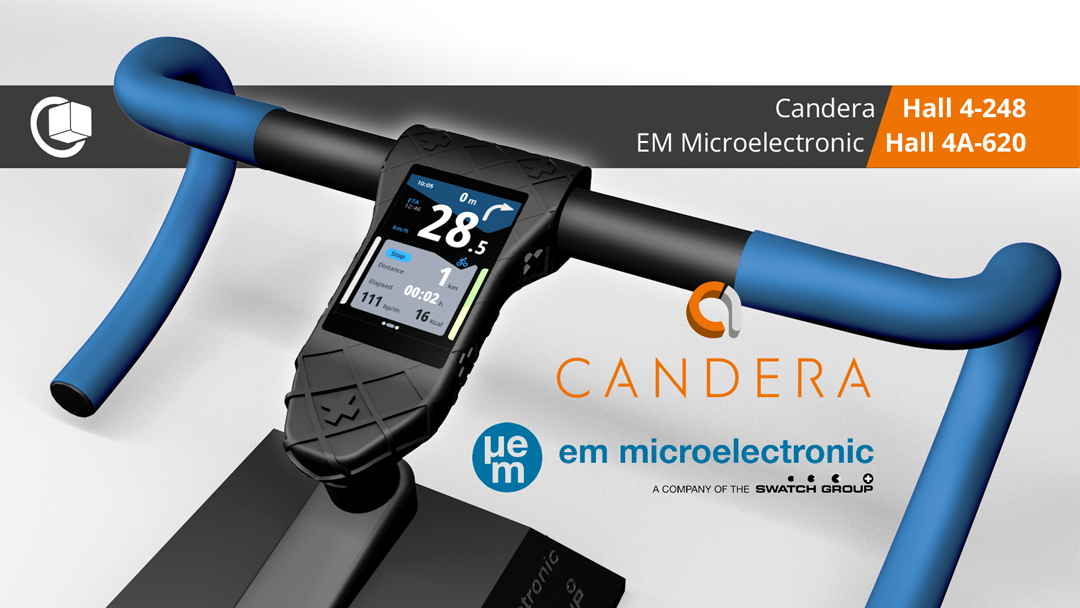
Neuchâtel, Switzerland & Linz, Austria – February 2025 — EM Microelectronic (a company of the Swatch Group), a global leader in ultra-low-power semiconductors and display solutions, and Candera, a pioneer in Human-Machine Interface (HMI) development, announce their collaboration to present a joint e-bike computer demonstrator at Embedded World 2025. The showcase combines EM Microelectronic’s advanced display technology with Candera’s CGI Studio-powered HMI, delivering a next-generation user experience for e-bike applications.

The demonstrator will be featured at both companies’ booths, allowing visitors to explore how cutting-edge touch display technology and intuitive HMI design create a seamless and efficient e-bike interface. 

Innovation Driven by Broad Expertise in Low-Power Technology and HMI Development

Innovation Driven by Broad Expertise in Low-Power Technology and HMI Development

The e-bike computer demonstrator integrates:

  • EM Microelectronic’s ultra-low-power touch display technology – ensuring high visibility, superior readability, and outstanding energy efficiency, crucial for battery-operated
    e-bike applications.
  • Candera’s CGI Studio-powered HMI – providing an intuitive, user-friendly, and visually appealing interface designed for real-time e-bike performance monitoring driven by the cost-efficient and ultra-low-power MCU from ST Microelectronics STM32U5 utilizing the NeochromVG native 2D graphics accelerator.


With decades of experience in ultra-low-power ICs, RFID, energy-efficient displays, and wireless communication, EM Microelectronic is a key enabler of smart and connected devices across automotive, industrial, consumer electronics, and IoT industries. This expertise ensures the
e-bike computer demonstrator delivers superior performance and meets the growing demand for power-efficient, high-quality embedded touch displays. EM Microelectronics is a member of the Swatch Group Electronic Systems, a global powerhouse in low power consumption, miniaturization and time accuracy.

“By integrating Candera’s industry-leading HMI technology with our advanced ultra-low-power touch displays, we are setting new standards for e-bike user interfaces,” said Tobias SCHWAB, Head of Connected Modules & Displays at EM Microelectronic. “This joint demonstrator at Embedded World 2025 highlights our expertise in energy-efficient display solutions, making urban mobility devices more intuitive and power-efficient.”


“Today’s bike users expect a seamless and engaging interaction with their devices. Candera CGI Studio enables a fast and flexible HMI development process, ensuring a premium user experience,” added Stefan BINA, Business Development Manager at Candera. “Partnering with EM Microelectronic, a company with extensive expertise in low-power and touch display technologies, allows us to showcase a best-in-class solution for e-bike applications.”

See the Future of E-Bike HMIs at Embedded World 2025

Attendees of Embedded World 2025 can experience the joint e-bike demonstrator at:

  • EM Microelectronic’s booth: Hall 4A-620
  • Candera’s booth: Hall 4-248

About EM Microelectronic:

EM Microelectronic, a company of the Swatch Group, is an innovative ICs, modules & displays manufacturer. Developing the world’s leading technology platforms across everything ultra-low power, from low-power wireless to RFID, MCUs, sensor interfaces, energy harvesting and custom ICs, displays and electronic modules


About Candera:

Candera is a pioneer in HMI design software, offering innovative solutions for the automotive industry and wearables, medical, and household appliances. With a focus on user-centric design and cutting-edge technology, Candera continues to set the standard for HMI software development. For more information, please visit www.candera.eu.


Candera Confidential & Copyright 2025


Learn more about Candera CGI Studio:

Website        LinkedIn       Facebook          YouTube

Preview: Smart, Connected, and Intuitive: Explore Candera’s HMI Innovations at embedded world 2025

Preview: Smart, Connected, and Intuitive: Explore Candera’s HMI Innovations at embedded world 2025

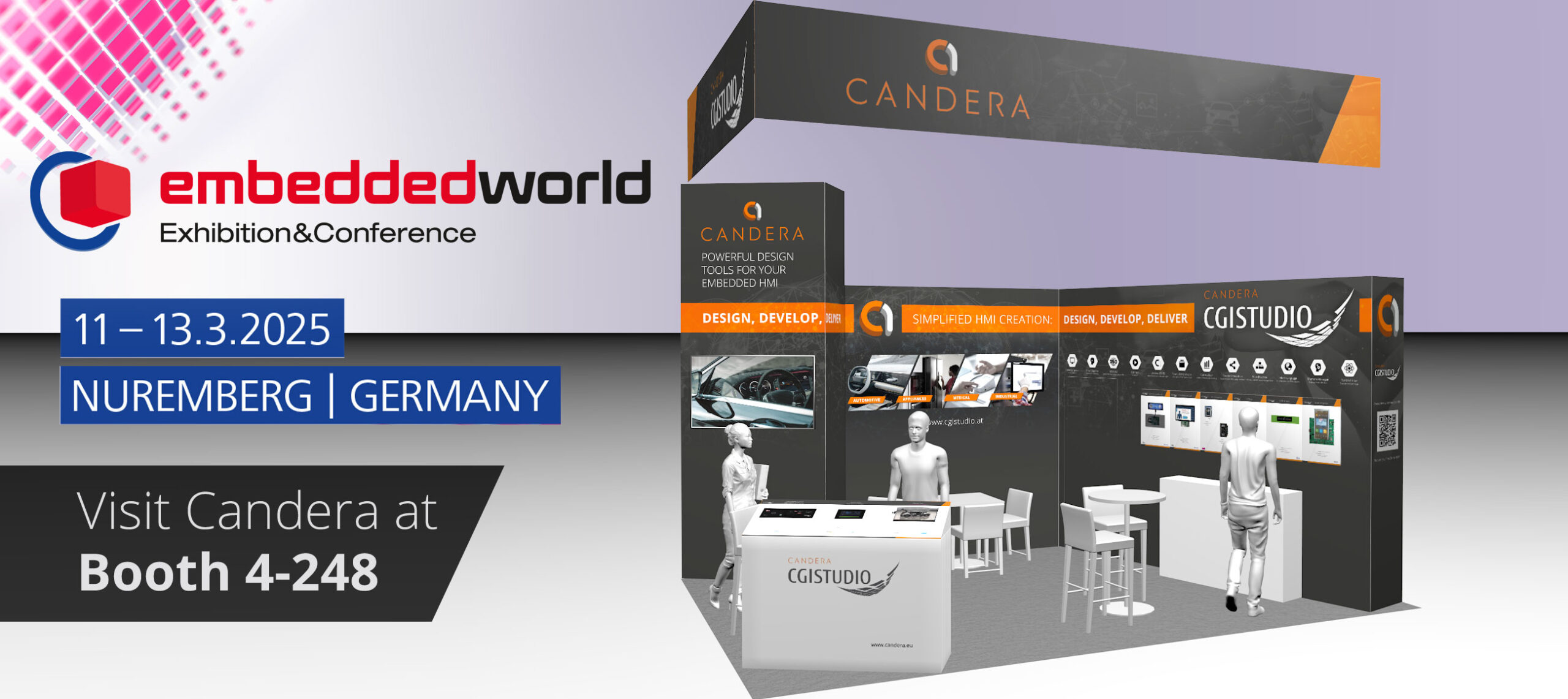
LINZ, Februar 5, 2025—Candera GmbH, a global leader in Human-Machine Interface (HMI) development solutions, is proud to announce its participation in embedded world 2025, taking place from March 11–13 in Nuremberg, Germany. At Booth 4-248, Candera will present its latest innovations, featuring CGI Studio 3.14 and 3.15, alongside cutting-edge HMI demos for automotive, appliances, and medical applications.

Embedded World 2025

embedded world 2025 is the perfect platform for us to highlight the capabilities of Candera CGI Studio,” says Wolfgang Pöll, Marketing Manager at Candera. “Our latest releases empower developers with even greater flexibility and efficiency, helping them bring their HMI visions to life across diverse industries.”


Showcasing CGI Studio 3.14 and 3.15

Visitors will get an exclusive look at the advancements brought by Candera CGI Studio 3.14 and 3.15, both designed to streamline HMI development with enhanced flexibility, performance, and user experience.


CGI Studio 3.15 – New Innovations:

  • AI-Driven Speech Recognition: Integrated SoundHound AI enables natural voice control in over 25 languages, with customizable speech events linked to interface actions.

SoundHound-AI

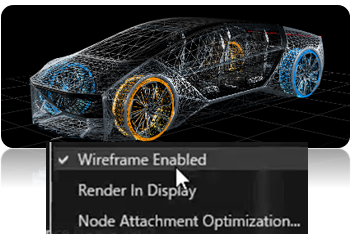
  • Advanced Wireframe Support: Toggle between solid and wireframe views for complex 3D assets in the Scene Composer, enhancing visualization and design efficiency. 

Advanced-Wireframe-support

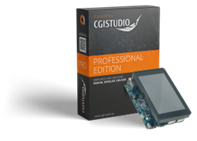
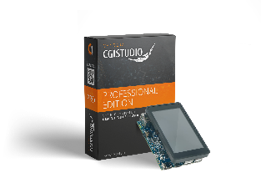
  • CGI Studio 3.15 Professional Edition: Optimized for small-to-medium-sized businesses, it features pre-built players for Linux targets, Python access to data models, and ready-to-use samples for rapid development.

CGI Studio 3.14 – Feature Highlights:

  • 3D Skinned Meshes: Enables advanced, flexible body transformations, allowing for the import of skinned 3D meshes using FBX and glTF files.
  • 3D ADAS Control: Offers a ready-to-use solution template for Advanced Driver Assistance Systems (ADAS), including customizable 3D animations.
  • Custom Shaders in 2D Scenes: Allows enrichment of 2D scenes running on OpenGL devices with user-defined 3D effects, expanding visual possibilities.


Live Demonstrations Across Key Industries

Candera will also present a variety of industry-specific HMI demos, showcasing the adaptability of CGI Studio across different market segments:

  • Mobility: Next-gen digital cockpits and dashboards for automotive and two-wheelers.
  • Appliances: Intuitive user interfaces for smart home devices, focusing on user-friendly interactions and efficiency.
  • Medical: Precision-focused defibrillator demo emphasizing safety and usability.
  • Candera again represented at Partner WallsCandera’s silicon partners also appreciate CGI Studio’s reliability and variability. Among them ST Microelectronics, Renesas and Imagination who will be presenting Candera demos at their Partner Walls at embedded world 2025.

    Visit Candera at embedded world 2025

    Candera invites attendees to visit Booth 4-248 to explore CGI Studio’s capabilities and see live demonstrations of innovative HMI applications.

Empowering Smarter, Faster, and More IntuitiveHMI Development with Candera CGI Studio 3.15

Empowering Smarter, Faster, and More IntuitiveHMI Development with Candera CGI Studio 3.15

LINZ, February 5, 2025 – Candera GmbH is proud to announce the release of CGI Studio 3.15, the latest version of our industry-leading Human-Machine Interface (HMI) development software. This update delivers a wide range of innovations aimed at simplifying development workflows, improving graphics performance, and enabling AI-powered user interfaces for developers across industries.

“CGI Studio 3.15 reflects our ongoing commitment to providing developers with the tools they need to create intuitive and visually stunning user experiences,” says Roland Winkler, Senior Product Development Manager at Candera.  “With powerful new features like integrated SoundHound AI speech recognition and enhanced importing capabilities, we are empowering teams to work faster, smarter, and more creatively than ever before.

CGI-Studio-3.15

Quick overview of the improvements in Candera CGI Studio 3.15:

Graphic UI/UX Data Binding

• Wireframe support

• Fast-loading of Monotype fonts

• Masked blur effect

• Import custom UI-Controls

• Import Figma layouts

• Replacement Fonts, ScreenTree Helpers, …

• CGI Studio Connector

• Simulate and set data in Player


New in Candera CGI Studio 3.15

  • Integration of SoundHound AI Speech Recognition
  • Candera CGI Studio 3.15 Professional Edition

Candera CGI Studio 3.15 now integrates SoundHound AI, enabling users to control HMIs through natural voice commands. Supporting more than 25 languages, this technology uses state-of-the-art speech-to-meaning® capabilities to interpret complex instructions in real time.

Developers can define custom speech events and actions,
using the intuitive Houndify web interface to configure speech domains and input scopes.

Houndify-web-interface

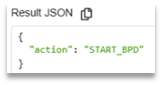
Result-JSON

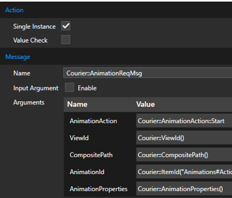
The Candera CGI Studio Player receives SoundHound speech events via the integrated SoundHound component. In Scene Composer specific speech events can be filtered and forwarded to state machines or behaviors for action handling.

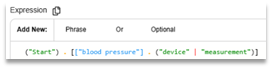
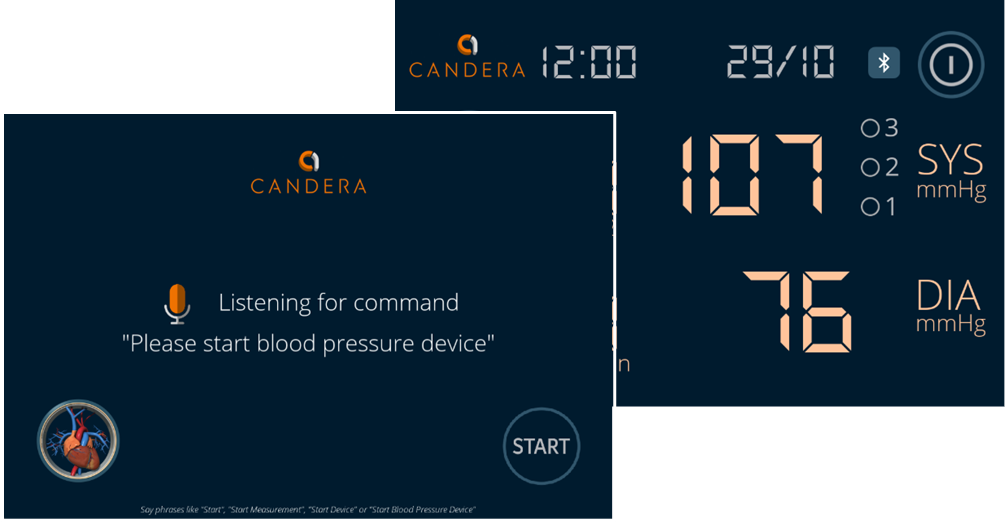
A built-in sample project (a blood pressure monitoring device) showcases how speech events can be linked to conditions and actions through the Scene Composer.

BloodPressureDevice

Another highlight of this release is the fully integrated wireframe support, which provides developers with an intuitive way to switch between solid and wireframe rendering for rigid, skinned, and morphed meshes. This feature improves the visualization and manipulation of complex 3D assets directly within the Scene Composer with just a click. Developers can also export wireframe-rendered meshes as assets, streamlig both prototyping and final design workflows.

Wireframe-support

Performance improvements continue with CGI Studio’s font-handling capabilities, now optimized through integration of latest Monotype’s iType technology. By utilizing a prepopulated glyph cache, the application eliminates the need for real-time font rendering during startup, significantly reducing initialization time for performance-critical interfaces like automotive dashboards and industrial control systems.Monotypes

To enhance the visual experience further, the update includes a Masked Blur Effect, allowing developers to blur pop-up backgrounds and improve focus on key interface elements.

Masked-Blur-Effect

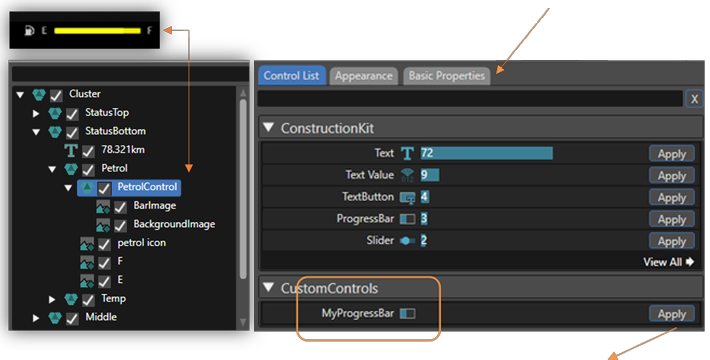
The AI assisted Smart Importer enhances UI design by enabling automatic mapping of assets from Adobe Photoshop and Figma. Developers can easily apply map layered images to custom controls, with auto-mapped layouts reducing manual setup time. For example, images like a multi-layered petrol gauge can be directly imported and mapped to interactive controls in seconds.


Set initial property values, like the fill rate of the petrol gauge in Basic Properties tab.

CGI-Studio-Smart-Importer

Map imported content directly to your custom UI-Control MyProgressBar with the Apply-Button.

Once applied, the Scene Composer creates the custom MyProgressBar UI-Control with the images from Photoshop and initial values from your configuration.


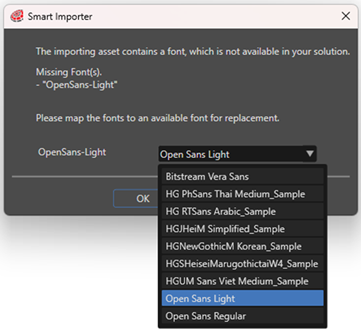
This Smart Importer also includes now font replacement options, ensuring seamless font management across projects.

The new auto-mapping of Figma layouts to CGI Studio’s Stack Layout or Text Layout reduces manual configuration efforts.

Font-replacement

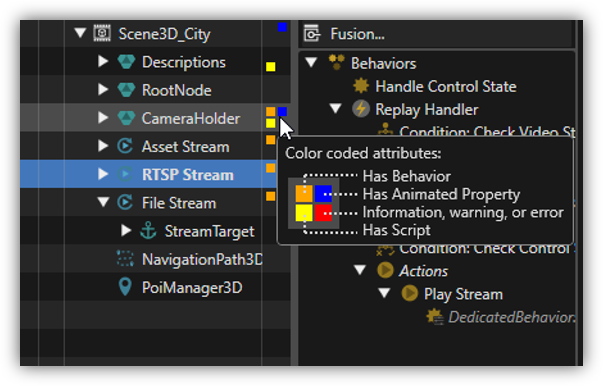
Navigation within complex nested scenes is made easier with color-coded scene tree indicators, which provides instant feedback on scene structure without the need to expand individual nodes.
The Tooltip explains all color-coded attributes while hovering over the matrix.

Scene-Tree-Indicators


CGI Studio 3.15 enhances overall usability within the Scene Composer through a range of optimizations. The new image retention feature preserves original file formats within solution folders, ensuring both fidelity and traceability of imported assets.

Additionally, the text size report tool has been updated to boost performance by analyzing and optimizing font sizes across the application.

The orbit camera has been extended to further improve the user experience, offering smoother control for navigating and editing 3D environments.

These improvements streamline workflows, reduce the number of clicks, and significantly enhance productivity for developers working on complex designs

Data integration has also been upgraded with the introduction of CGI Connector, which replaces the previous Matlab Connector. Notably, the connector features a generic interface for inte-grating also external state machines with minimal effort.
This tool provides a versatile interface for defining input/output relationships, supporting complex data types and dynamic events.

CGI-Connector

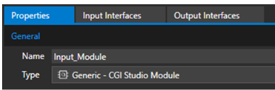
Developers can group logical interfaces into modules and automatically generate named ports.

logical-interfaces

The CGI Connector simplifies project integration with a more flexible build system, making data-driven applications faster and easier to build and maintain.

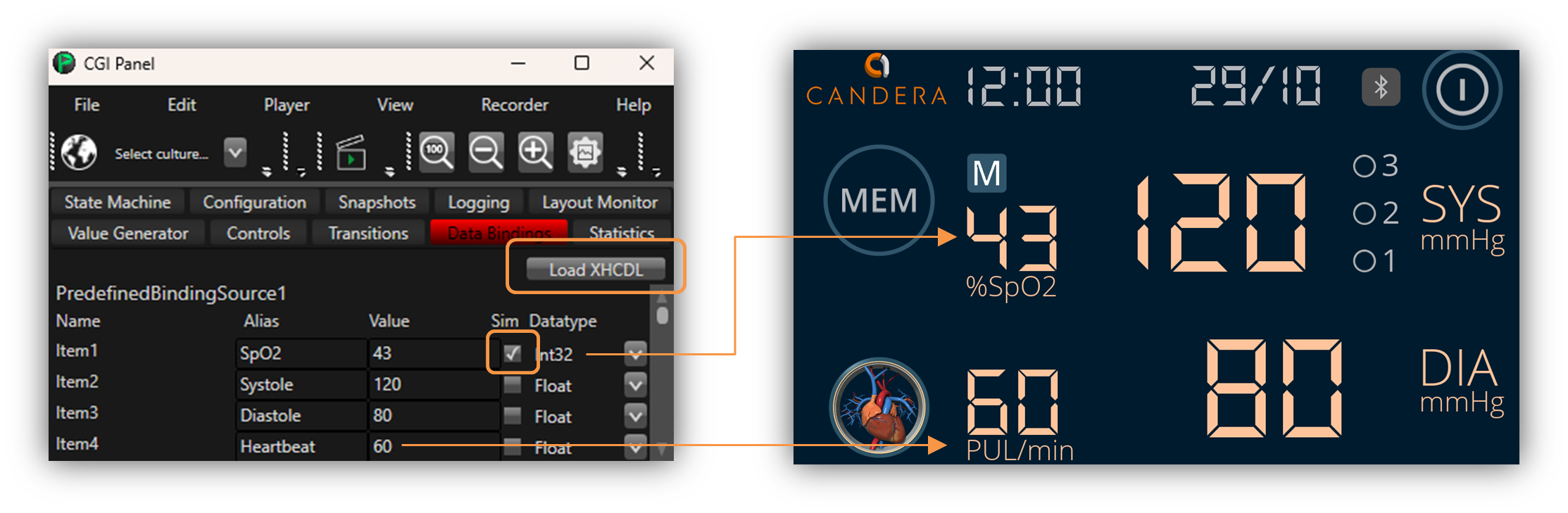
Additionally, data simulation features allow users to load and manipulate data models (XHCDL) directly in the Player, providing real-time feedback during testing.

CGI-Studio-Data-Simulation

Candera CGI Studio 3.15 caters to both small-to-medium-sized businesses (SMBs)
and enterprise clients
.

The new CGI Studio Professional Edition is tailored for SMBs and rapid development, offering pre-built players for Linux-based targets such as STM32MP1 and Python-script access to the data model. Dedicated documentation and samples guarantee an easy entry to HMI development on host and target.

SMB

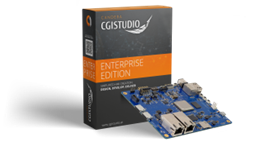
The CGI Studio Enterprise Edition is designed for the automotive market. It provides full access to source code and C++ interface. With this highly flexible edition you get support for premium extensions like Memory Manager, Analyzer, CGI Connector, Asset Shaper, and Scene Composer plug-ins.

EnterpriseEdition

A Game-Changer for Developers Across Industries

Candera CGI Studio 3.15 is already being hailed as a transformative update for developers building HMIs in automotive, appliances, and medical sectors. By integrating cutting-edge AI capabilities, simplifying the design-to-deployment process, and enhancing performance, Candera empowers its
clients to deliver smarter, more interactive user experiences with less complexity.

Want to test the improvements yourself?

Request a free trial version of Candera CGI Studio.

About Candera:

Candera is a pioneer in the field of HMI design software, offering innovative solutions for the automotive industry, wearables, medical, and household appliances. With a focus on user-centric design and cutting-edge technology, Candera continues to set the standard for HMI software development. For more information, please visit www.candera.eu


Candera Confidential & Copyright 2025

Learn more about Candera CGI Studio:

Website        LinkedIn       Facebook          YouTube